Like none of us have ever uttered a profanity at our terminal before.. 
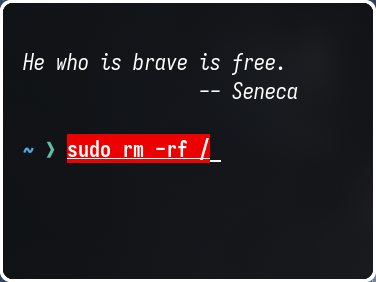
Nothing too fancy
alias cls="clear"
alias nz="nano ~/.zshrc"
alias sz="source ~/.zshrc"
alias update="yay -Syu --noconfirm && flatpak update"
alias timesh="sudo timeshift --create --tags D"
alias bk="backup.sh"
alias rescue="TTY_rescue.sh"
alias upck="aunpack -D"
alias pck="apack"
alias ucalibre="sudo -v && wget -nv -O- https://download.calibre-ebook.com/linux-installer.sh | sudo sh /dev/stdin"
alias cheat="cat ~/.alias_cheatsheet"
alias sy="~/bin/Syswatch/syswatch"
alias rplasma="systemctl --user restart plasma-plasmashell"
Not an Alias however its a useful function to help find an alias.
function find_alias() {
	# find all alias of program
	# print value 1 for the alias=command
	# print value 2 shows the command
    alias | grep "$1" | awk -F= '{print $1, $2}'
}
What about simply
$ alias hash
alias rehash='hash -r'
or
$ alias | grep eha
alias rehash='hash -r'
This is really risky to use. --noconfirm bricks your system sooner or later.
Since I’m on Plasma, stopped using it. I update my system using the apdatifier widget.
me too.
# pacman and yay
alias up='sudo pacman -Syyu'                # Refresh pkglist & update standard pkgs
alias upp='sudo pacman -Syu'                  # update only standard pkgs
alias upy='yay -Sua --noconfirm'             # update only AUR pkgs (yay)
alias upa='yay -Syu --noconfirm'             # update standard pkgs and AUR pkgs (yay)
alias unlock='sudo rm /var/lib/pacman/db.lck'    # remove pacman lock
alias orphan='sudo pacman -Rns $(pacman -Qtdq)' # remove orphaned packages (DANGEROUS!)

# calibre install/update
alias cup='wget -nv -O- https://download.calibre-ebook.com/linux-installer.sh | sh /dev/stdin install_dir=~/calibre-bin isolated=y'

# shutdown or reboot
alias shut='sudo shutdown now'
alias boot='sudo reboot'

# fastfetch
alias ff='fastfetch'

# btop
alias ht='htop'
Thanks for the tip!, added that widget on my test computer and it looks nice.
If you want to skip the “sudo”:
$ ls -al /usr/bin/reboot
lrwxrwxrwx 1 root root 9 Apr 22 13:17 /usr/bin/reboot -> systemctl

$ ls -al /usr/bin/poweroff
lrwxrwxrwx 1 root root 9 Apr 22 13:17 /usr/bin/poweroff -> systemctl