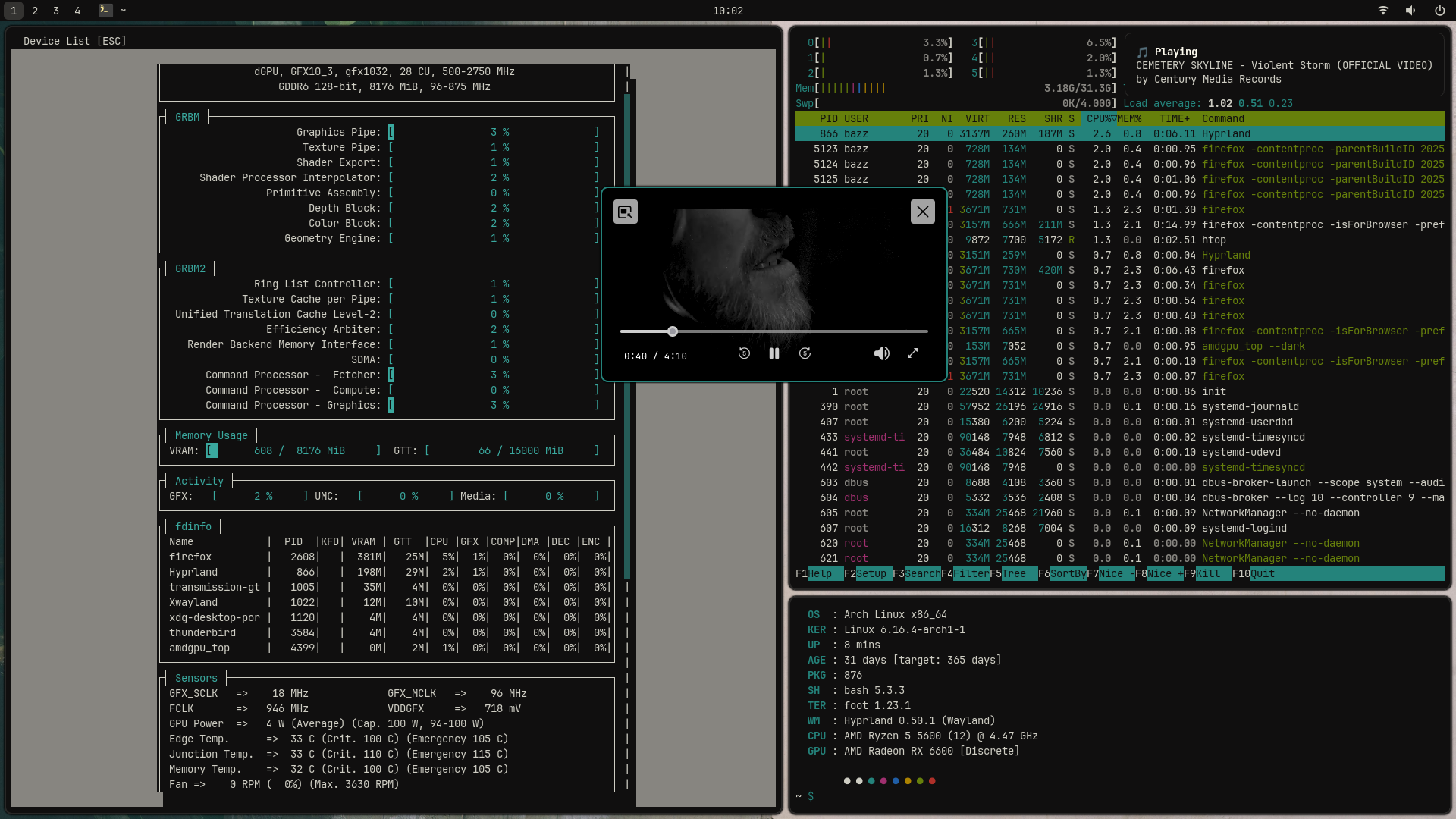
Must say that Hyprland is well optimized since it eats less vram than swayfx with shadows and animations. In swayfx I only enable roundet borders and it eats almost 300mb vram after boot. Vanilla Sway is still lightest, it uses 50mb
But the reason I usually run Sway is that it still is more stable, but I think that my AMD card is part of that reason since I have sometimes driver resets on idle, if I have some GPU accelerated stuff running. Electron seems to be my GPU’s worst nemesis with HWA, games and heavy stuff do not crash
I’m not going to try anything else 'till I get home, which is thankfully the day after tomorrow.
I am curious though. Is hyperland complicated to figure out? I have been very happy with Sway, and I don’t think I need eyecandy. I’m actually slightly annoyed with how tall the titlebars are on Sway. I think I would like as much workspace as possible on my laptop.
If you’re already using sway, it won’t really be much more complicated. I suggest giving it a try in a VM and if you prefer Sway tiling/node control you can also use Hy3 to make it more Sway-like.
If Sway works for you i don’t know if it is worth the trouble… but who knows you might like it better. Even though Hyprland offers more customization options, you don’t HAVE to make it hypr complicated with unicorn puke rainbow everywhere
Nope, it is simple as Sway and it has great wiki. Checkout my dots if you need some pointers, I have almost identical setups for both Hyprland and Sway.
I really learn a lot from looking at people’s dotfiles, so thanks a lot!
I also learned a lot from looking at @xircon 's autostart list and from looking at hy3 that @perletero mentioned.
I’m really curious about hyprpm Hyprland’s dedicated plugin manager!
Wow, back to 7-bit times! Nice blue notebook, though. Guess that guy could save some energy by turning his display brightness down and take off his sunglasses…






 Simply Enos0101.png !