I have worked in a computer manufacturing company.
They had a RAM measuring device.
Corsair RAM is overclocked RAM (higher clock speed and access times) and then data transfering errors do occur.
@Berta, wouldn’t it be better stated that Corsair RAM is overclockable RAM? It isn’t actually overclocked out of the box. It’s all dependent on one’s system, and it needs to be intentionally overclocked by the user through BIOS settings.
EXAMPLE:
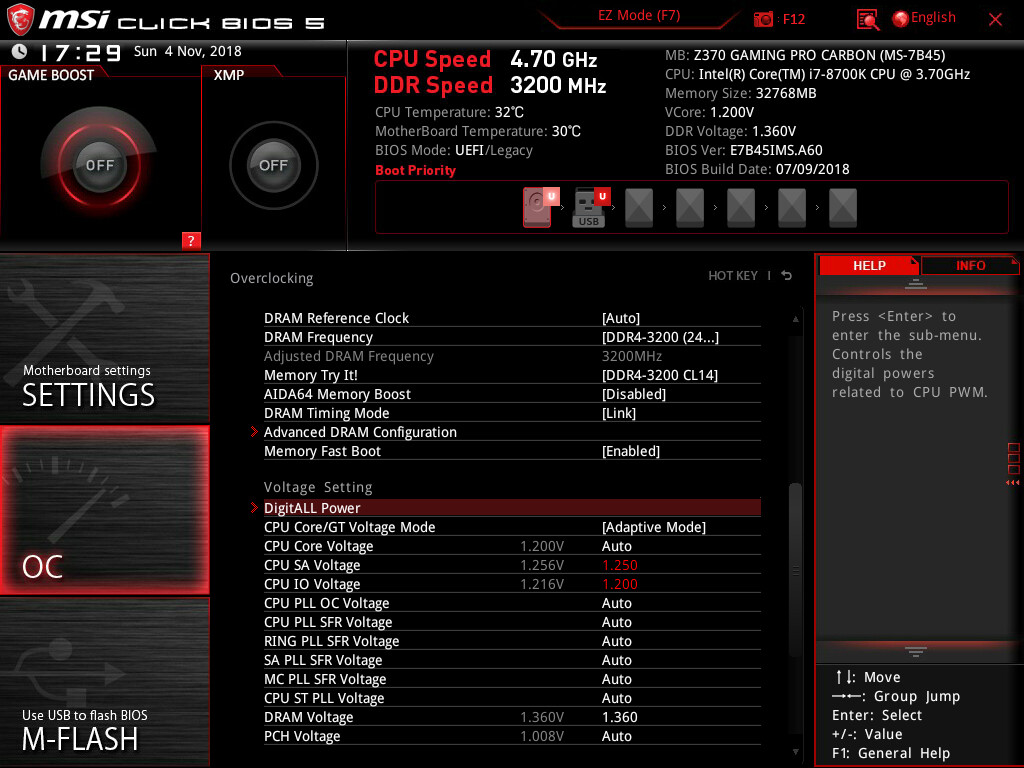
Corsair RAM is overclocked out of the box.
RAM is not a passive device.
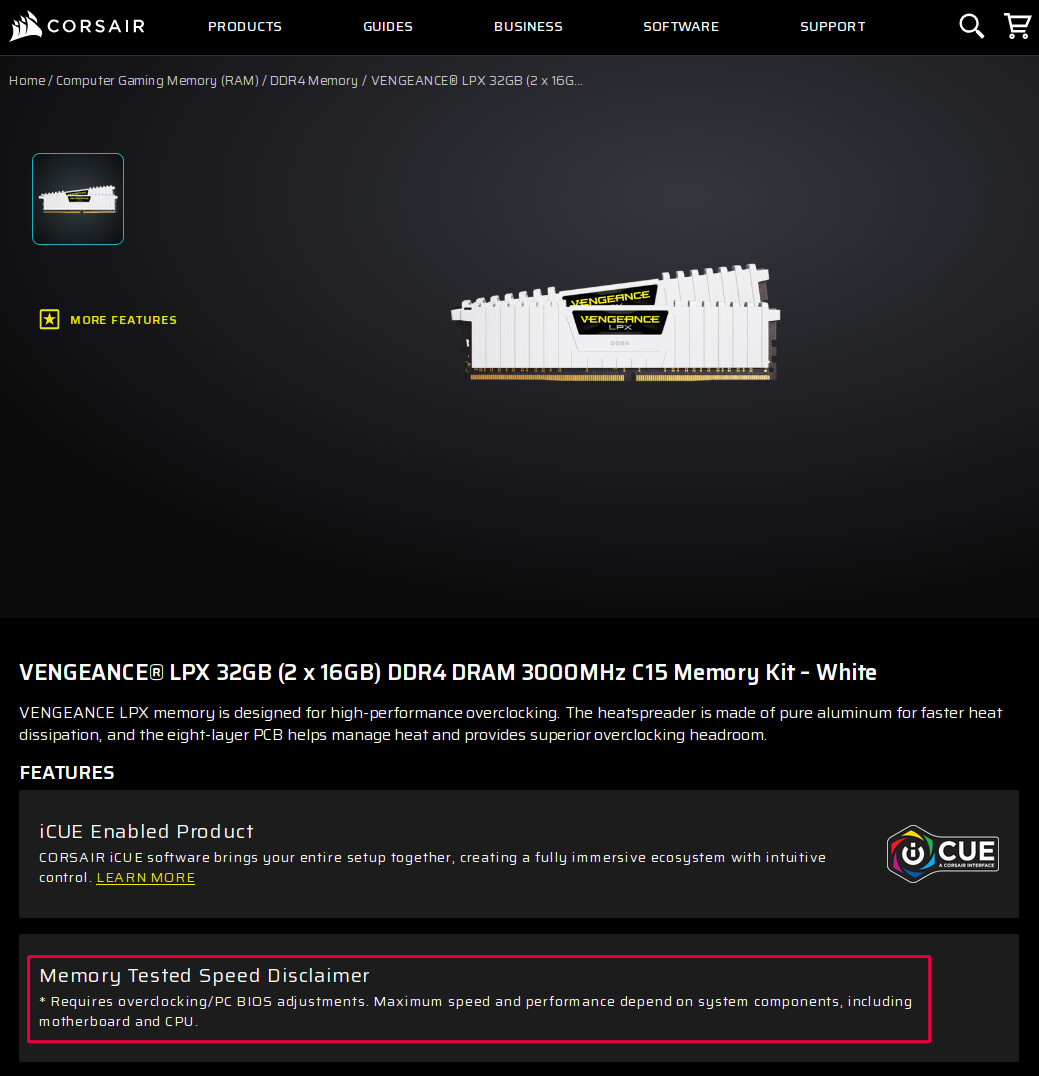
Then why the “Memory Tested Speed Disclaimer” from Corsair (shown in the image in my last post)?
I think there is a misconception about the term overclocked ram. RAM is frequently sold with pre-configured, factory tested overclocking profiles! These are commonly marketed as high-performance or gaming memory. These modules are designed to run at higher speeds than the standard JEDEC specifications.
Ex: 3200MHz+ for DDR4 or 6000MHz+ for DDR5) by using profiles such as Intel XMP (Extreme Memory Profile) or AMD EXPO (Extended Profiles for Overclocking).
This is true for the Corsair Vengeance LPX.
These are pre-overclocked ram in other words the manufacturers select top-tier memory chips and “bin” them selecting the best ones to be configured and sold as higher speed, higher priced kits! They run at a higher voltage than the standard in order to achieve this such as 1.35V instead of 1.1V or 1.2V and include heat spreaders.
It is only overclocked when running at these speeds using the existing profiles. Otherwise when installed they default to a lower stable speed. You have to enter the motherboard bios in order to enable XMP or EXPO profiles.
Some Ram such as certain Kingston Fury models have a plug & play feature that automatically sets the highest speed available by the systems bios without requiring manual intervention.
While this RAM is tested to work at these speeds, it is technically overclocked, and achieving stability depends on your CPU’s memory controller and your motherboard’s capability.
There are many Ram examples of these pre-configured, factory-tested overclocking profiles such as Corsair Vengeance, Kinston Fury Beast, Gskill, Trident Z5, and Teamgroup T-create.
Yes Ram is not passive…it is active. Although it doesn’t process data like a cpu it is an active component in the system but is volatile requiring constant power to retain data. It is continually being refreshed and is truly never idle while a computer is turned on and is controlled by a separate memory controller usually integrated into modern cpu’s.
So in my opinion it is not overclocked ram otherwise it would only run at an overclocked speed permanently. In other words it is overclock-able Ram that has been tested to run at these specific speeds but have to be set in the bios. But again this is not a given because not all motherboard bios will allow or work depending on the hardware components. Hence the disclaimer!
@UncleSpellbinder
I was thinking of buying an AM5 Motherboard and I thought i might like to try this Asrock. I’ve never been a big fan of Asrock in the past but I’m liking the looks of this one.
https://pg.asrock.com/mb/AMD/X870E%20Nova%20WiFi/index.us.asp
Edit: If only i could afford the 32 GB of DDR5 8200
I can’t recommend buying an ASRock AM5 MB. As far as I know, they still haven’t resolved the issues with certain Zen 5 CPUs.
be very careful on you next AM5 motherboard
Check all motherboard diagram details for the PCI x16 & NVMe bus
if they share PCI GEN5 x16 with something else , it will goes x8 or x4.
if you can , use adapter PCI gen5 nvme , but nowadays video pci card use two slots for size.
Your current PC is still more than adequate. Unless you have some special needs (frequent video editing. streaming, competitive gaming), just forget about upgrading. No need to pay for overpriced junk in exchange for marginal performance gains.
I’m so glad that Sam Altman got to buy out the flash components. we might pay through the nose for our measly hardware, but at least we’ll be able to render six-fingered people and get advice about eating glue on pizza more efficiently.
also, only mildly related to the topic, but is there any way whatsoever to make sure that an SSD model is compatible with a particular laptop’s motherboard? my budget Lexar is constantly nearing full capacity which in turn makes it slow as all hell, and the last time I wanted to splurge, I got the Kingston KC3000 which kept disconnecting during higher workload like copying lots of files, crashing the OS, and after several RMAs it turned out that it was likely that the laptop just couldn’t supply the power the SSD asked for. I’ve been wanting to try buying another model again, but with the current prices I’m much less likely to take risks 
Okay … then I’m going to stick with MSI. Maybe I would get this one then since I already have a couple of MSI motherboards. I have no intention of getting the 3D Cpu version either. I’d probably go with the 9700X since it’s the most reasonably priced.
in order to use max speed on PCIE_1 ( x16 ) , use only M2_1 and M2_4 for Nvme ,
if you want more nvme prefer an adapter PCI NVME , PCIE_2 i think it cant be used with any double slot video card