Well ubuntu or debian (based) are already a year or 2 behind with updates. Even if he/she would not use his/hers notebook for a year, he/she is still updated compared to the above distro’s 

All of them should be OK for most cases. All of them should ignore mirrors that are no longer available.
The tools can have differences based on your location and the selected flags with each tool.
Note that reflector-simple is a GUI wrapper for reflector and they should give the same result (when given the same flags).
That’s what eos update does, and I never even knew just running yay with no additional anything would even do that, and just tried, and it does.
So there must be something different as eos-update is way more than just yay with: -c 'echo '\''==> eos-update --aur'\''; eos-update --aur; eos-sleep-counter 60'.
I also never knew how to interact with systemd nor that I could, only that it never caused any problems when I tried, and so adopted it, and the KDE settings app used to have a page to setup cron jobs for anythin you liked before systemd, but they haven’t made an equivalent for it (I will suggest it to them).
It’s he, I’m bob, same backwards too!
Cool, I like GUI stuff, as soon as I had my Apple Lisa, I was all in on GUI everything, and never really got much done, nor liked to in early DOS because it was just too cumbersome for me, because I have a much more graphical memory than a textual one: I never could do script worth Sh*t even after using it for years (Instructions at hand and in print), but give me a circuit plan, blueprint, knobs and widgets and I can work with it naturally and figure out stuff by myself with little explanation, just one of those oddities of genetics I guess.
So I will have to look up and read up on making systemd timers, and hopefully figure out the commands and arguments for the apps and actions… as there are a few things I would love to automate, like weekly backups, and monthly backups of the backups… Automation is one of the best qualities of computers after all! As Martha Stewart would say:  “It’s a good thing” which she didn’t say when she was convicted for tax or bank fraud!
Its pretty simple really if you can set up a cron job you can set up systemd-timers. And as always if you have Questions or Issues just come here and we’ll help as much as we can.
Thanks and I know that, and everyone here is great at it too, but I still like to try by myself first, and only ask for help when stuck, as to not occupy anyone’s time for all the wrong reasons.
Of course I will look for a UI app to use for it first!
It easier for us to tell you how to properly maintain your system than how to unbreak it.
If more of a universal arch thing I would have looked it up in a search and most likely the the Arch wiki, but since I use eos-update with its desktop file I added to the KDE “quick launch” widget I have other often used scripts for, I thought I’d ask here.
On that note I know there are eos scripts made by all sorts of people on the git page, but those are often without good documentation to use without a good understanding of bash script, nor are many in the form of desktop files for easy and more frequent use, the latter I do know how to do my self though because its pretty simple, and I even make custom Icons in little time for some:
I still use the long defunked “eos-log-tool” to gather up the most needed logs with a single click, and a copy/paste (after removing any personally identifiable data) to the forum for trouble shooting, and wonder why it’s no longer installed by default since it’s a huge time saver, and still works, or at least still did the last time I used it which was years after it was removed, just hadn’t needed it for over a year: a good sign Arch and KDE are much more trouble free than in years long passed!
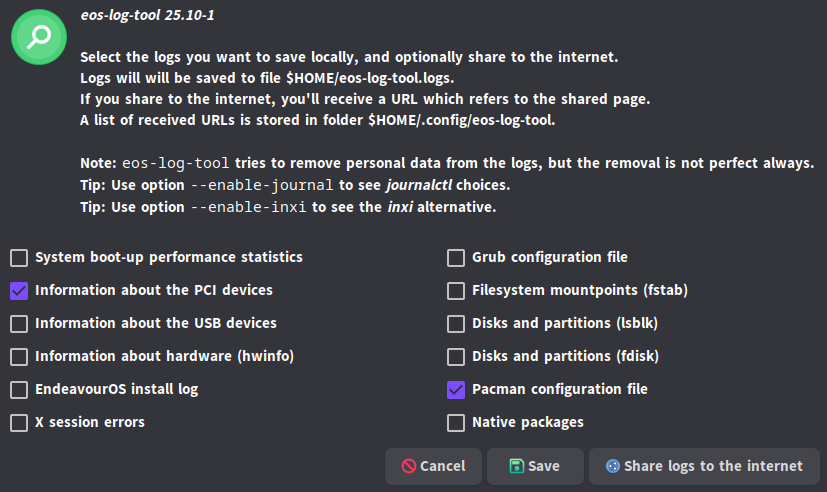
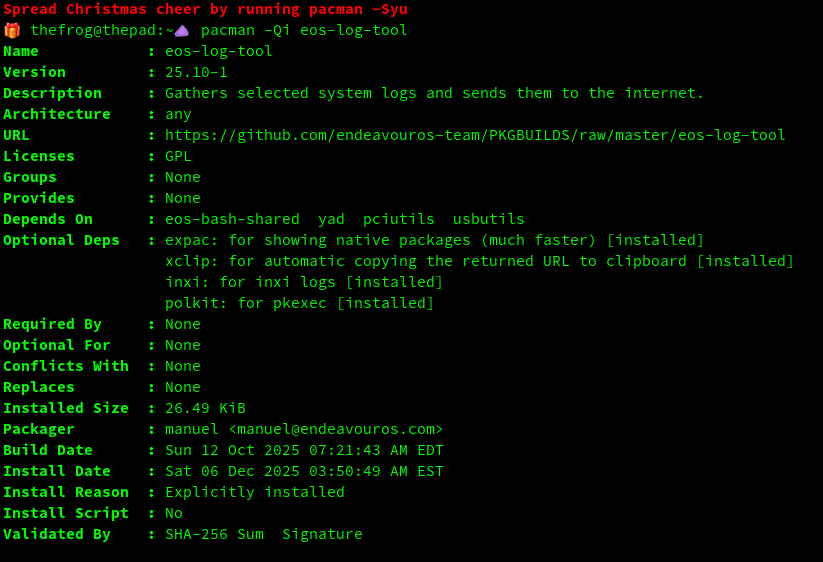
I see, so this way you added the ability to only fetch the related logs, rather than all of them: Makes sense. Now if only the “Welcome App” would be renamed the “EOS helper app”, because You only have to welcome people once, and it keeps evolving to help with more stuff, which is pretty cool! I guess it’s time I check it out in more depth again, and put it in my “System maintenance” quick launcher too for easy access to related apps: it’s subject specific (I have a few, in 3 panels) and they are at my fingertips, and better than the start menu with all the scrolling…
Well I just realized I must have the latest, since I am now up to date, and just looked for it in the start menu and it has the endeavourOS logo Icon:
The one that I used for the longest time was a plain old bash (,sh) script that just put the logs in a zip file in the home folder; I had made a desktop file for it with a custom Icon (a bug on a file) now gone. I could and have used it to fetch logs for use on other forums too. May have been in a folder no longer used since KDE Plasma 5.
I never got any indication it came back as an actual app! I also just realized there was, and maybe still is an EOS news notifier! Is that still a thing, maybe new and improved too? I’d love to get news on EOS changes and important warnings for EOS via the task bar!
Dang, I have been so busy with so much I am way behind with what all changes EOS has had, along with everything else constantly rolling in on Linux, OS, DE and apps, with Linux’s full steam ahead progress!
Soooooo not like Windows where rather than good new features and tweaks with every major update once or twice a year or whole new Windows version you get more abuse and “shitification”, and the occasional change of things like the entire menu system they finally had right for no good reason, replaced for a POS you have to figure out how to use all over again while pulling your hair out because it sucks so much!