Live USB boots to blinking cursor

I’m trying to install Endeavor to try it out. I’m testing it on a ThinkPad X1 with an intel i7 and intel integrated graphics. It boots to a blinking cursor on tty1. I can switch to tty2 etc., but I don’t know any login information.

Are there any known issues with the installer or with this hardware?

there are no passwords you can login using root or liveuser without password :wink:
usual it should have no issue.. we have implementation for old legacy intel GPUs ma yit does detects your as such wrongly?
can you try login in cli and check if it installed the xf86-video-intel package ?
pacman -Qs xf86-video-intel

It did not. I have -ati and -amdgpu only.

you could try startx as root too.
And it could be ISO file is corrupted caused by not fully syncing it to usb in case using ventoy per example.

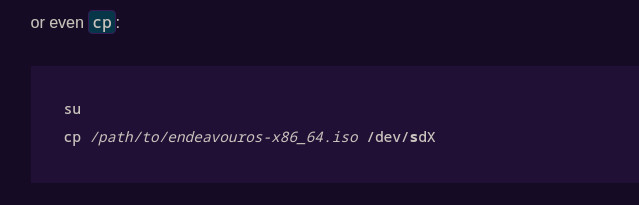
startx didn’t work, because X couldn’t load the module intel. I just downloaded the ISO today and used cp to add it to the USB stick.

I also noticed it did not start the network, so I can’t install that module.

Maybe this wiki can be of any use to you ?

official download or the weekly rebuild?

I downloaded EndeavourOS_Mercury-Neo-2025.03.19.iso from the USA mirror on the EndeavourOS.com website.

I’m trying rebuilding the USB media with dd in case cp did something funky.

I rebuilt the USB stick with the same ISO image, but using dd instead of cp. It’s installing fine now. It’s weird that cp didn’t create the image properly. I ran umount at the end to make sure it synced correctly.

Doesn’t cp just copies the ISO to the usb drive ? Unless you use Ventoy that wouldn’t get you a bootable USB stick.
BTW welcome to the forum :enos_flag: :enos:

hm m m you should read your own links :wink:

but:

will not make sur eits fully written.. flash drives store data in chunks and can take up to 10 Minutes to fully sync data after copy it.. the command to make sureits synced would by sync after it frees the promplt its surely all written or watch it live: watch -d grep -e Dirty: -e Writeback: /proc/meminfo

anyway forgot to say welcome @j4s0n here !!

Just goes to show I am not that familiar with that kind of commands :grinning_face:
Sorry about the confusion I might have created.

Interesting. I thought umount was supposed to flush the buffers before exiting.

Hmm indeed it flushes pending writes
Any data buffered in memory that hasn’t yet been written to the device is written out.

But Buffered data only

Use sync for extra safety
You can explicitly flush all caches first (though umount usually does this automatically) sync

but you are right it should not umount without writing buffer:

[15:32:46] joekamprad :: sway-prvt  ➜  ~ » LANG=C sudo umount /dev/sde1                                                       32 ↵
umount: /run/media/joekamprad/AE2B-294D: target is busy.

it simply do not umount in case..
But you can use -l per example that would force umount and would cause data loss.

I aliased umount to sync && umount, so that should solve the issue.