Hello @nicknick!
I had the same problem yesterday. This post here helped me.
Download the file and unzip it. Then you have to copy the unzipped folder “pressure-vessel” into your personal folder under .local/share/umu/ and then it should work again.
I have tested it with the latest Proton-Ge, Proton Experimental and the normal Proton at Cyberpunk. Without that the other runners were displayed but only wine-ge-8-26 started the rest did not.
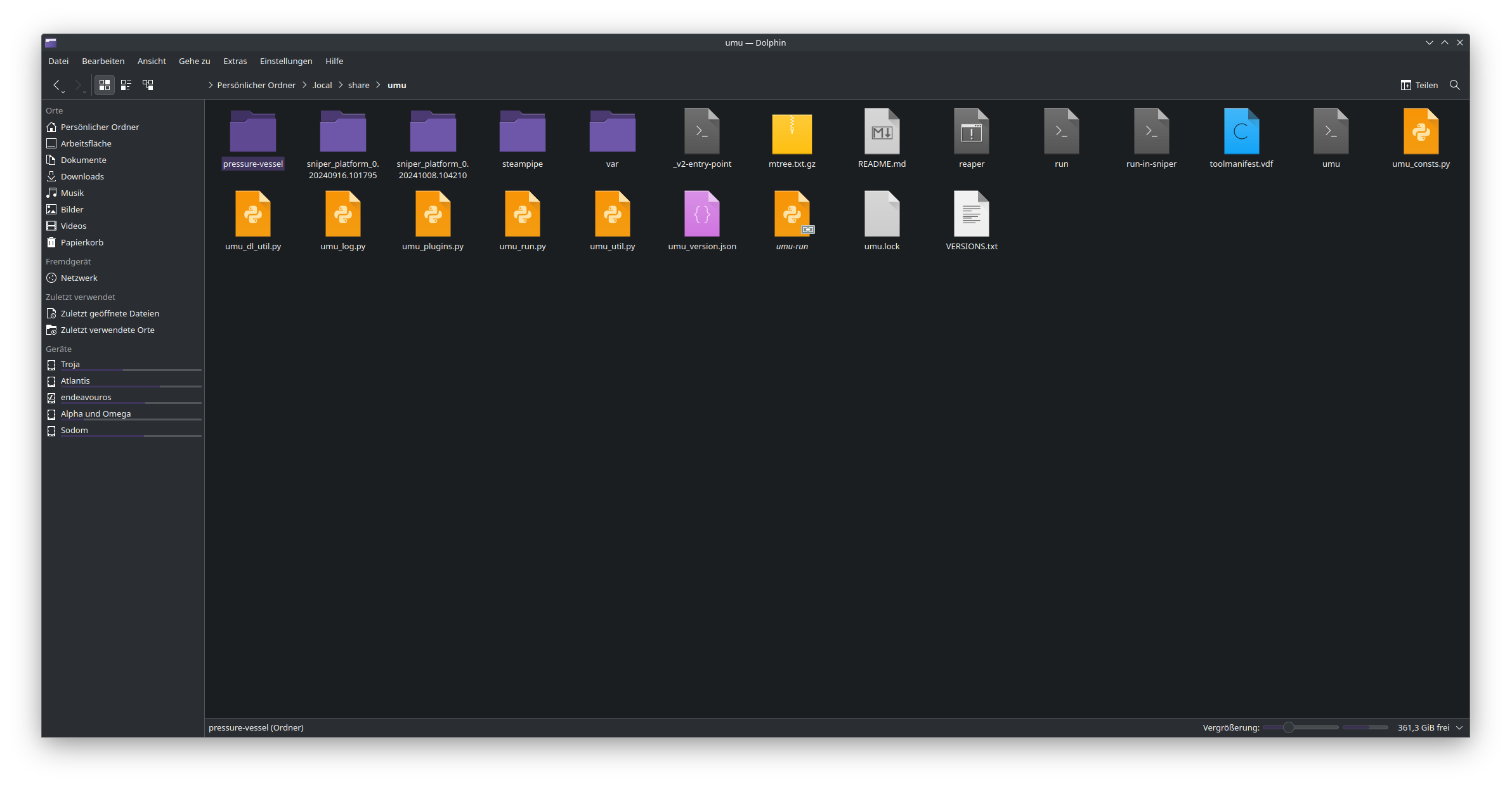
Note: I don’t know if this is an elegant solution, but it works.
Edit: Output of the file from Virustotal
Edit 2: Only tested with Lutris
Edit 3: I think what broke it for me was the Update to Wine 9.19
Edit 4: Yesterday it worked with the Solution above but now it stopped working again. The Workaround/Solution is that for now.
(delete the Folder .local/share/umu after that try to launch a game with Lutris using Proton/Proton-GE and Umu will reinstall itself (takes a bit so please wait for it) but after that it is working.)
OT: I really hope that helps and stays working like that now.