Help, help. I don’t know what to do anymore. Of course, first of all, hello, I’m the new guy. I’ll probably be coming around more often soon. Grin. Just kidding. But I’m definitely ready to give myself the golden bullet. My OS won’t boot anymore. My initial state is that I installed mkinicpio or whatever it’s called and then later did a system update. And now it just shows errors at system startup and goes straight into help mode. I’ve tried desperately to fix something with chroot, but unfortunately no luck. So I think the main problem is a faulty efi.mount. My Linux doesn’t recognize the efi anymore for some reason. Mounting via liveuser shows me everything. But when I try to start my system on its own, nothing happens. And then there are the strange snapd files or programs that want to start but don’t work. At least they show errors too. Sorry for the bad English. And yes, I’ve read and watched videos and so on. But now I’m at the point where I don’t want to or can’t do it anymore. Oh, the system is a desktop with an ASRock motherboard and SSD. Just one. I’ve disconnected the others for now. And, um, this log file and all that. Yes, I’ve seen and read the page. But I don’t really understand it. So, I really need help. I’m aware of that. Grin. But can we repair the computer first? Thanks. Regards
That will break your system.
We use dracut and not mkinitcpio. If you want to switch to mkinitcpio, that is possible but you can’t just install it and have it work.
First, remove mkinitcpio.
If you are using systemd-boot, then install kernel-install-for-dracut.
If you are using grub, then install eos-dracut and run sudo dracut-rebuild.
you would not have done that if you were not advised to.
who would of said first you install Endeavour and then you have to install mkinitcpio ?
It’s OK, I understand  when I was new to Linux I broke the sh*t out of everything just exploring on my own. Learn as you go. Do what Dalto says he is a wise guru. Welcome to Endeavour
Welcome to the forum!
You came to the right place to solve issues. Often other info source on the internet provide confusing, misleading, or plain wrong answers.
Here you’ll get great advice with a friendly atmosphere.
I’m no expert on the topic, just come here to say:
Welcome to the forum @spinner1262 
This line makes me curious, are you running EndeavourOS? SnapD is associated with Ubuntu unless you installed snap. Did you?
thnkas but it dasnt work.?
nice. thanks for dad 
hello, is with ubuntu? yes iam install it on endeavoursOS for apps?
You need to chroot into your system from the live installer.
Here’s how to do that correctly:
https://discovery.endeavouros.com/system-rescue/arch-chroot/2022/12/
After you chroot into your broken system, remove (uninstall) mkinitcpio, then follow the instructions that @dalto listed above:
Hello, thanks for all the replies. But unfortunately, that didn’t work either. I found this site on my own and tried using the chroot following these instructions. I got desperate and now I’m about to freak out again. My God, what a bummer! When I mount, I always get an fstab error. How on earth is that supposed to work? Who comes up with something like that?
Please try following the instructions again.
But this time share the all commands and the output from them here.
If you get any errors, stop and don’t issue further commands.
When you respond with “It didn’t work”, there is nothing more we can do to help you. We need to see what you typed and what the error you received was.
Yes, I understand that. So I’m now in the live system. It’s not easy for me to do it all in English and so on. I’ll try to see if I can pipe the output into a file.
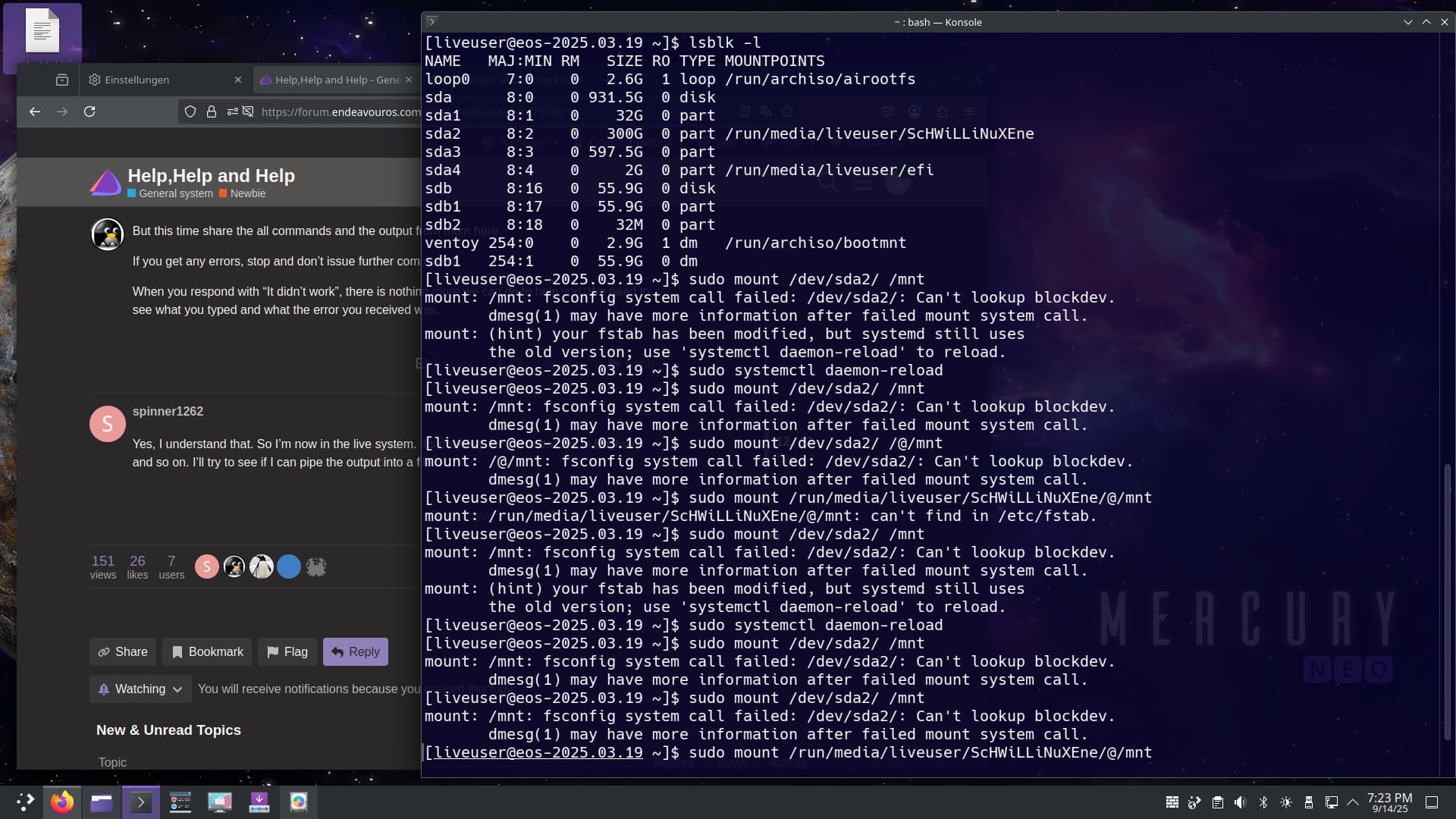
Remove the trailing slash.
/dev/sda2 not /dev/sda2/
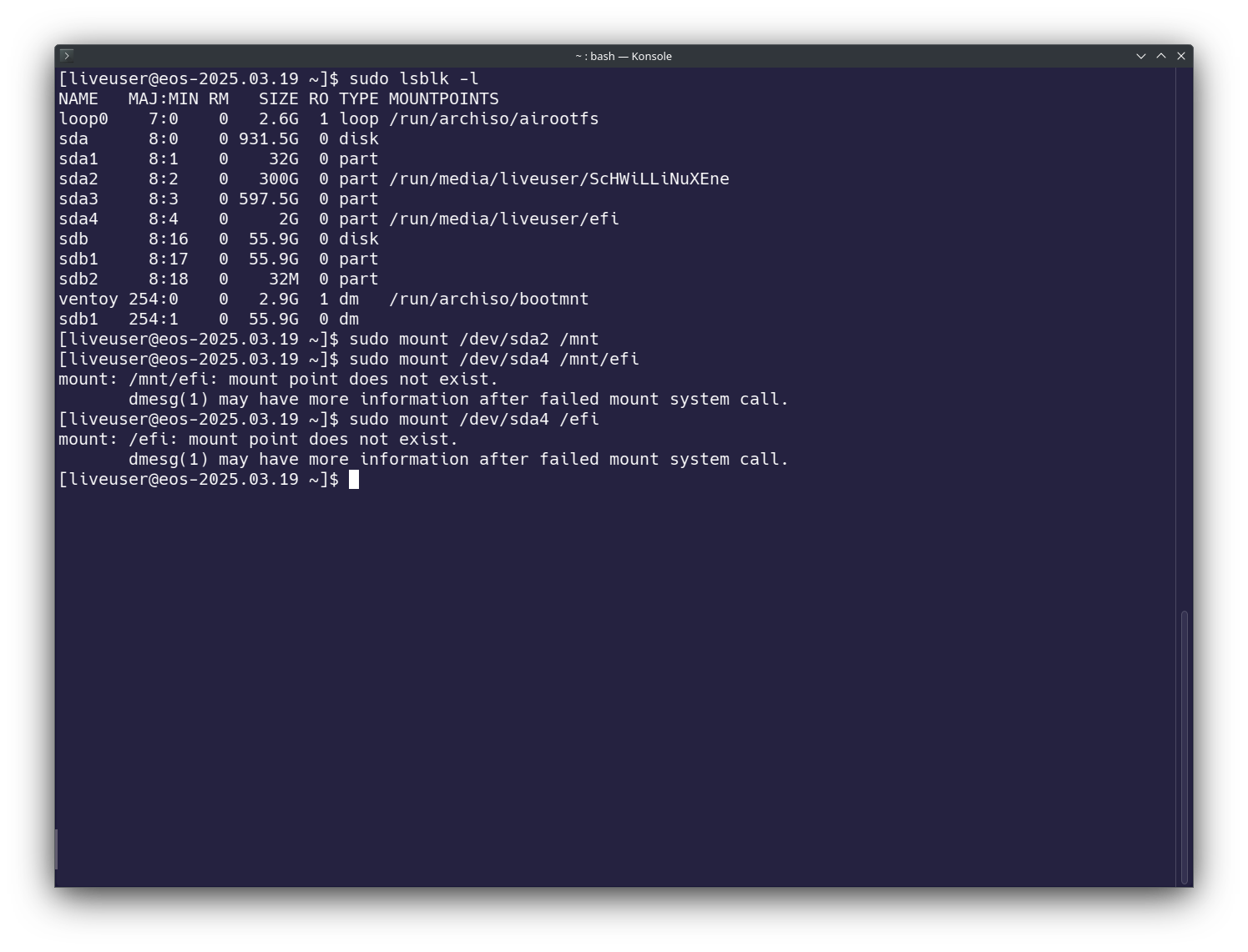
You are probably using grub.
Mount it at /mnt/boot/efi
Make sure you follow the instructions I posted for grub, not systemd-boot.
No, not really, but SD2 is mounted from the live system and EFI is not. Actually, I use systemd-boot. I think I wanted to install grub in nt mode, but it didn’t work.
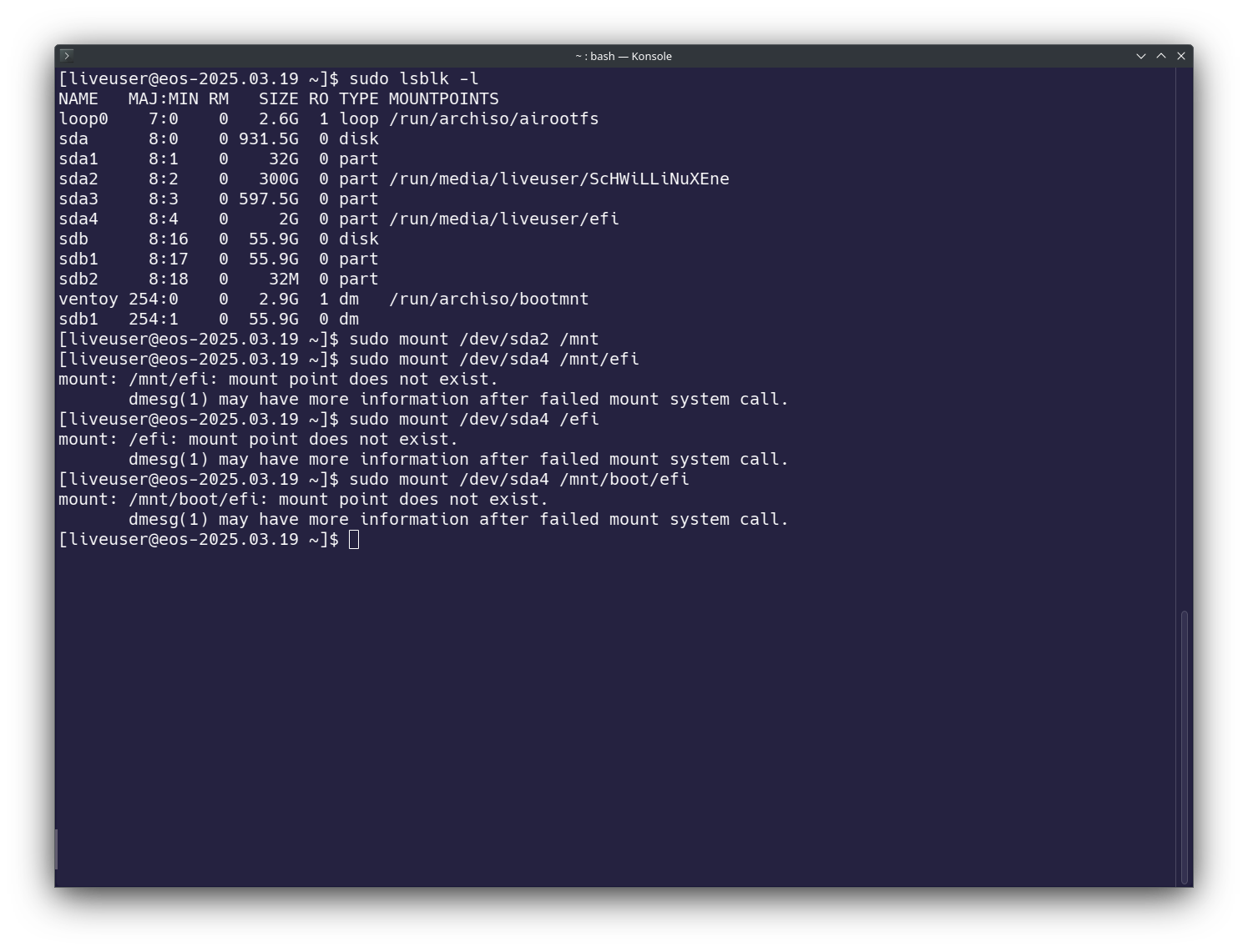
Can you share the output of ls /mnt
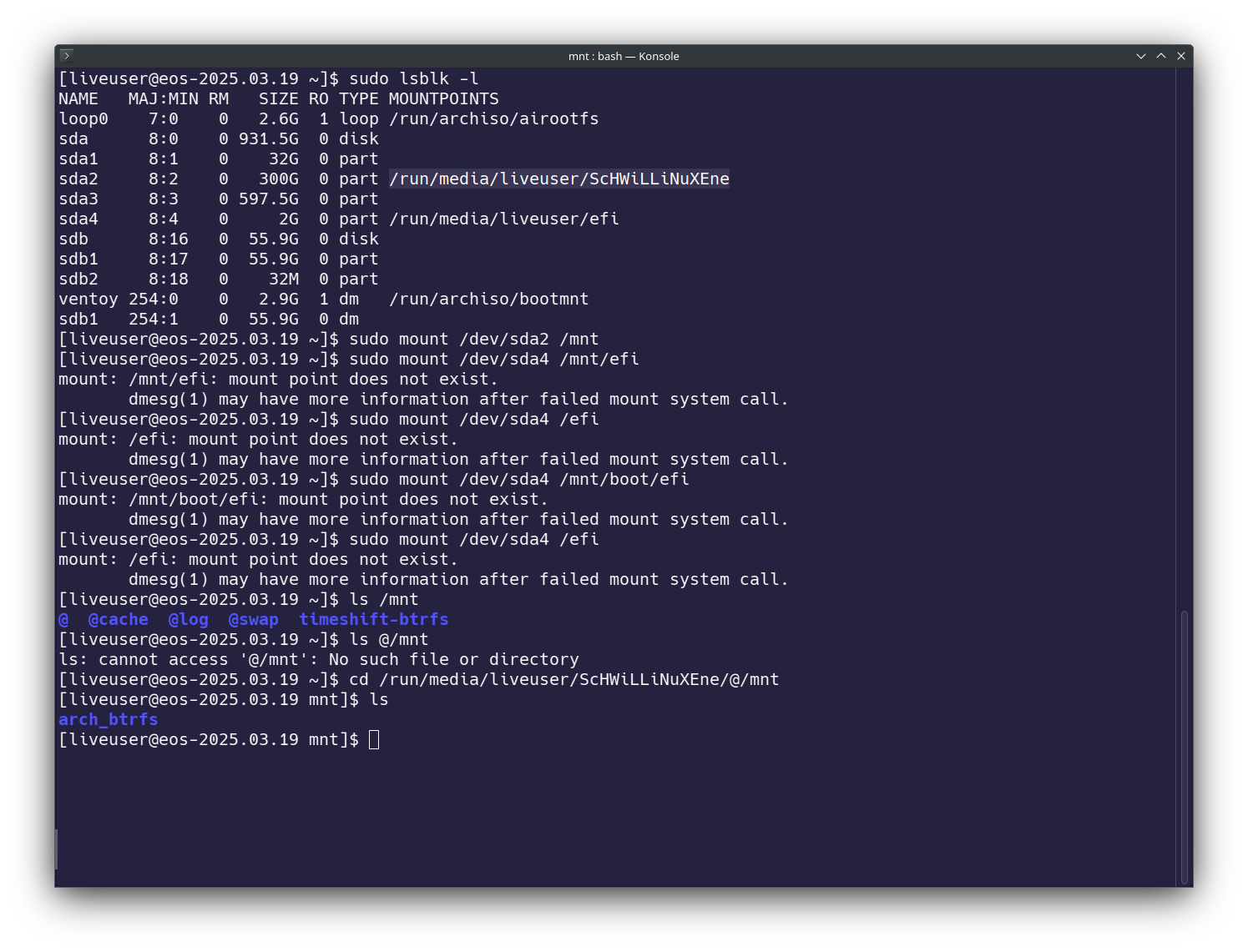
It looks like you have some kind of custom btrfs layout.
Can you share the output of cat /mnt/etc/fstab