Once I unlock the drive, I get the same error for EFI “mount: /mnt/boot/efi: mount point does not exist.
dmesg(1) may have more information after failed mount system call.”
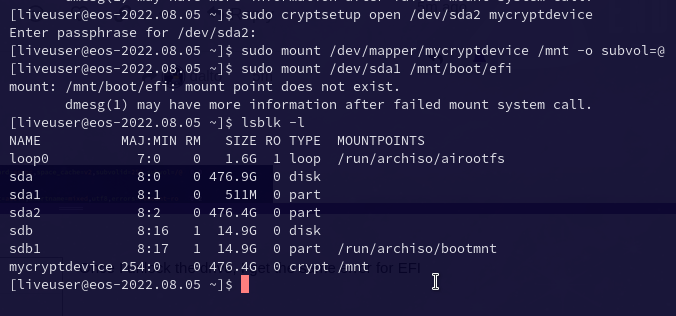
Once I unlock the drive, I get the same error for EFI “mount: /mnt/boot/efi: mount point does not exist.
dmesg(1) may have more information after failed mount system call.”
What does ls /mnt and ls /mnt/boot show?
Oh, I see. Your efi partition isn’t mounted at /boot/efi. It is mounted /boot
ls /mnt

ls /mnt/boot

You probably need this from where you are now:
sudo mount /dev/sda1 /mnt/boot
sudo arch-chroot /mnt
grub-install --efi-directory=/boot
WOOOOW DALTO  It worked!
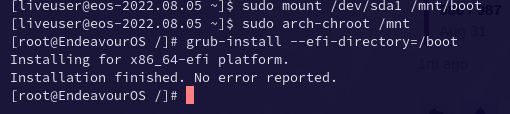
I completed that.
Anything else to install?
No, that should be it.
Good to reboot?
btw how did you figure out the sudo mount /dev/sda1 /mnt/boot ?
Your /etc/fstab
Any need to do the following?
grub-mkconfig -o /boot/grub/grub.cfg
grub-install --target=x86_64-efi --efi-directory=/boot/efi --bootloader-id=GRUB
Although your /boot is kind of a mess. It seems to also have all the things /boot would normally have…
No
What in the world is this? 
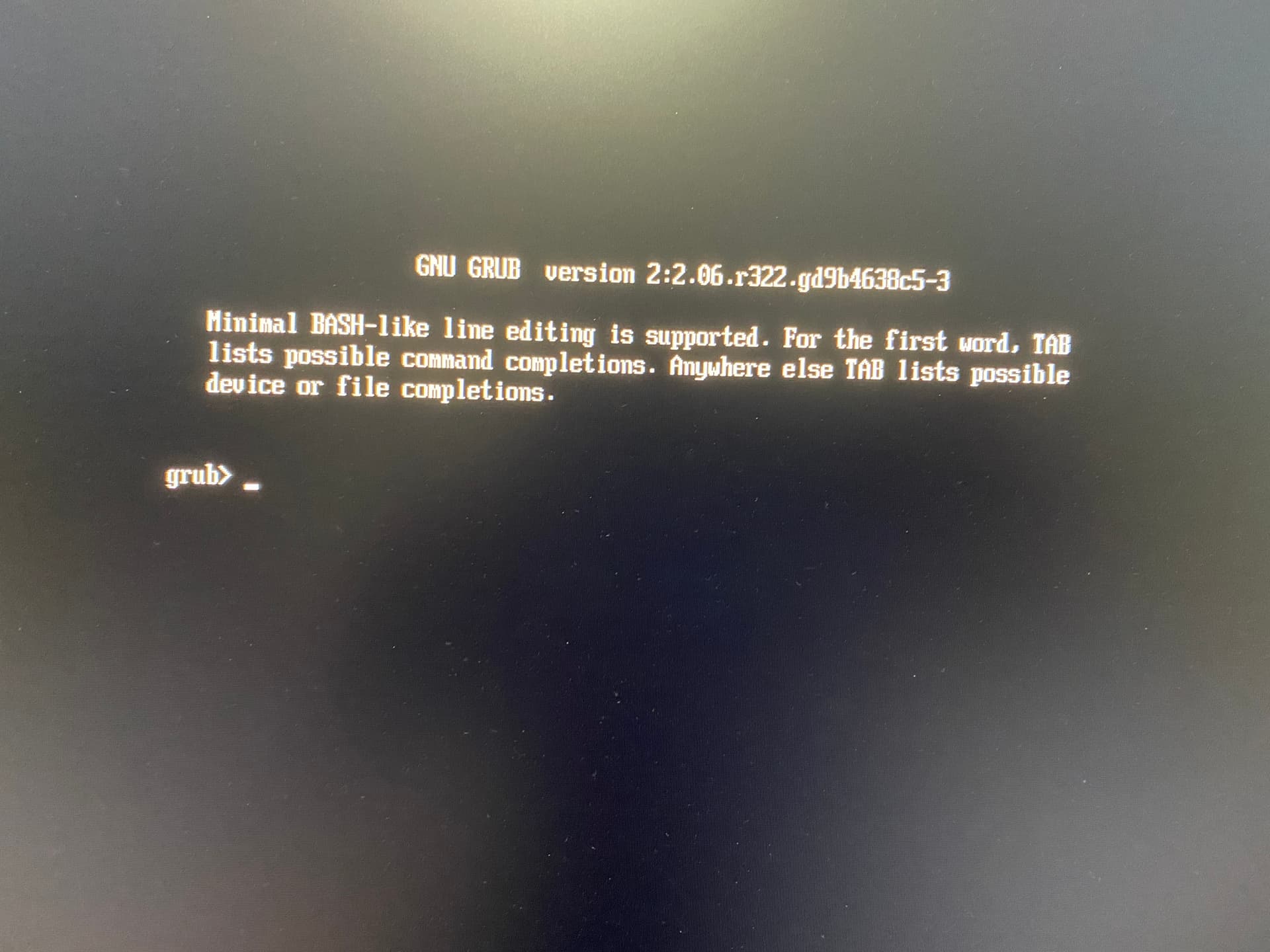
Grub
Sorry I meant, shouldn’t it load my OS?
Typically, I would get a screen to enter crypt paraphrase…
Something is very strange. First go into your BIOS and ensure the right entry is selected as the default.
If it is, go back into the chroot and lets see what is in your efi partition.
This might be the culprit
I added this using the arch wiki and I probably did it wrong
https://wiki.archlinux.org/title/GRUB/EFI_examples
My machine is Lenovo m93p but followed what was suggested for M92p
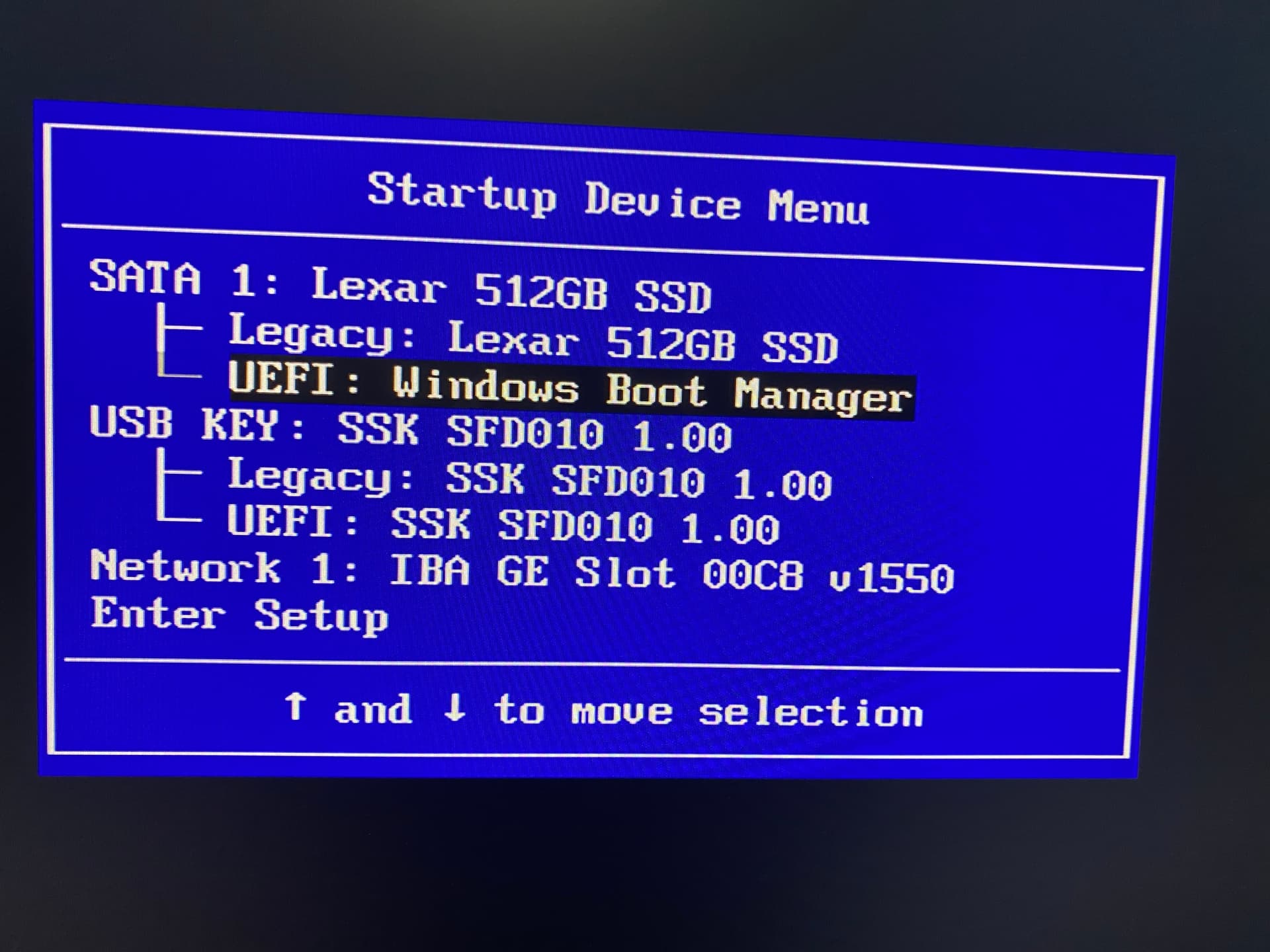
Should I follow above steps and chroot into /mnt/boot?


The most popular post I’ve ever written  and probably will always be!
I really want to stop for a moment and applaud everyone participating here, the effort, the collaboration and knowledge sharing has been nothing less than inspiring.
Everybody is trying to help with every bit of information they have, no matter how small it is and every bit made a difference!
Super happy how the issue was mitigated and glad most of us got their machine in a working state again.
Special thanks to the admins for the quick detailed guides and really being on top of the problem from the start, till now!!
Everyone here should really be proud of being part of this amazing community. 
PS: Yes I have been waiting for the 1000th reply to post this 
Fitting that you are the OP and the thousandth post!!

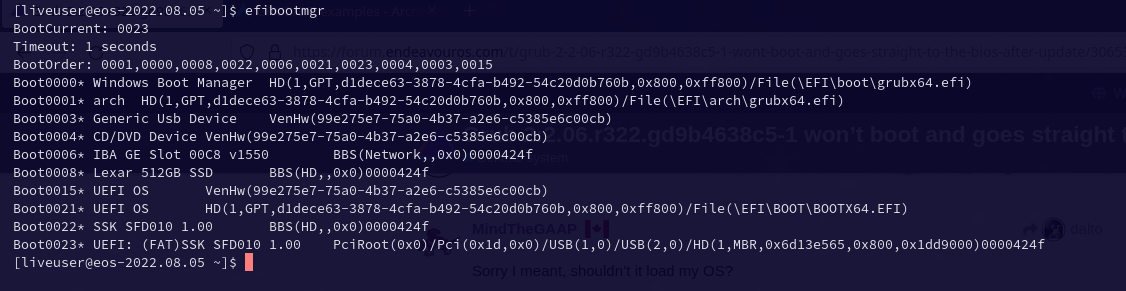
This is the output of efimgr