hehehehehehe love it! 
If someone use’s this on X11 make sure to comment out
I didn’t see that in the beginning 
Or change it to X11 
I’m still waking up lol.
hehe same here, Rum was in the ascendance last night. 
So kitty doesn’t update as soon as you update the config? I had to actually reboot the system in order for kitty to show the changes I made. I logged out first but there was no change. Is there an easier way to do this in kitty? I know in Alacritty it automatically updates as you change the config. I mainly was adjusting the size for my needs. Here it is with my changes

Hmmm odd, It updates straight away on my setup. 
Odd. When I make a change to either Kitty’s config or the Fastfetch config, I just save, and restart Kitty. Never had to log out or reboot.
Ctrl+Shift+F5 to reload Kitty config, but sometimes kitty is stubborn and you need to reboot, no idea why.
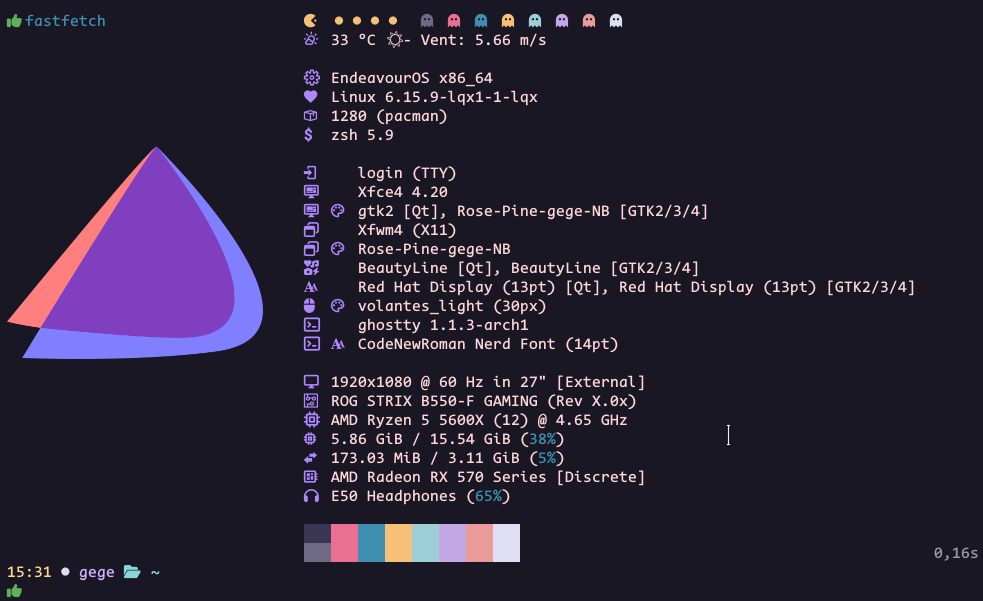
I love the pacman at the top, so cool. Can you share your config please?
I was adding AUR packages, display/separator settings have not been cleaned :
// ~/.config/fastfetch/config.jsonc
// See https://github.com/fastfetch-cli/fastfetch/wiki/Configuration for more details
// See *.jsonc in https://github.com/fastfetch-cli/fastfetch/tree/dev/presets/examples for more examples
{
"$schema": "https://github.com/fastfetch-cli/fastfetch/raw/dev/doc/json_schema.json",
"logo": {
"source": "/usr/share/pixmaps/endeavouros-icon.png",
"type": "auto",
"padding": {
"top": 5
}
},
"display": {
"color": "38;5;141",
"separator": " ",
"color": {
"separator": "38;5;030"
},
"color": {
"output": "38;5;224"
},
},
"modules": [
{
"type": "custom",
"format": "\u001b[93m \u001b[90m \u001b[91m \u001b[92m \u001b[93m \u001b[94m \u001b[95m \u001b[96m \u001b[97m "
},
{
"type": "command",
"key": " ️",
"text": "ansiweather -l city_name -a false -s true -i false -H false -h false -p false|cut -d ' ' -f 6-12"
},
"break",
{
"type": "os",
"key": " ️",
},
{
"type": "host",
"key": "",
},
{
"type": "kernel",
"key": " ",
},
{
"type": "packages",
"key": " ",
},
{
"type": "command",
"key": " ️ AUR",
"text": "yay -Ps|grep Foreign|cut -d ' ' -f5"
},
{
"type": "shell",
"key": " ",
},
"break",
{
"type": "LM",
"key": " ",
},
{
"type": "de",
"key": " ",
},
{
"type": "theme",
"key": " ",
},
{
"type": "wm",
"key": " ",
},
{
"type": "wmtheme",
"key": " ",
},
{
"type": "icons",
"key": " ",
},
{
"type": "font",
"key": " ",
},
{
"type": "cursor",
"key": " ",
},
{
"type": "terminal",
"key": " ",
},
{
"type": "terminalfont",
"key": " ",
},
"break",
{
"type": "display",
"key": " ",
},
{
"type": "board",
"key": " ",
},
{
"type": "cpu",
"key": " ",
},
{
"type": "memory",
"key": " ",
},
{
"type": "swap",
"key": " ",
},
{
"type": "gpu",
"key": " ",
},
{
"type": "sound",
"key": " ",
},
"break",
"colors",
]
}
edit : since it uses Yay, “AUR packages” is slow
Thank you, much appreciated.
I used to have weather in my fetches but it does slow the thing down. Looks good though.
AUR packages + weather take more than 1s, with the weather alone it’s mostly about 0.2s and a few times 0.5s.
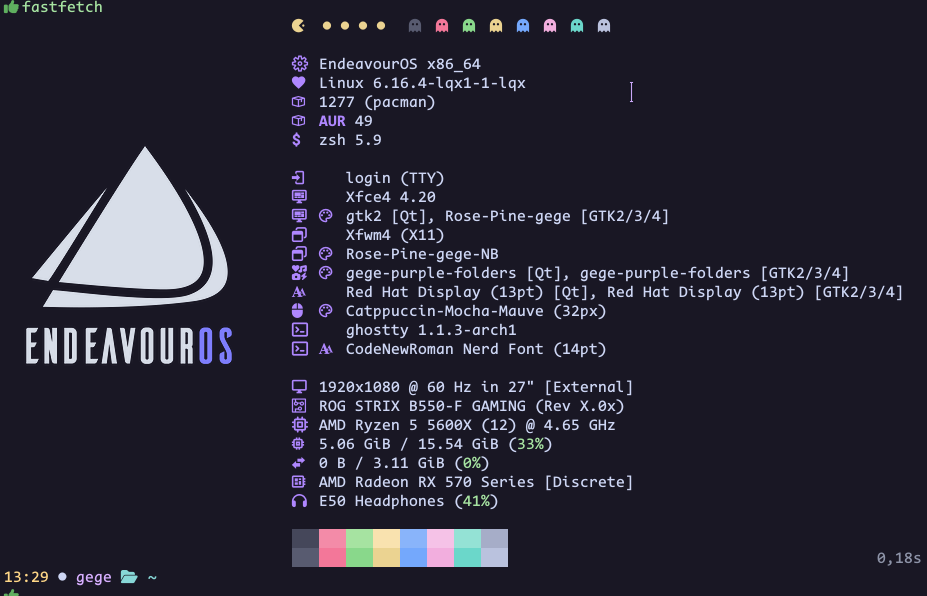
Sharing EnOS monochrome icons in .png format, available for both light and dark backgrounds, in case anyone wants to use them in Fastfetch or as part of a wallpaper.






Edit:
Source: https://bitbucket.org/dirn-typo/eos-monochrome-logo/src/main/png/
Wonderful! Downloaded. Added to my EOS logo folder. Working on a couple wallpapers, one or more of these will work well. Thanks!
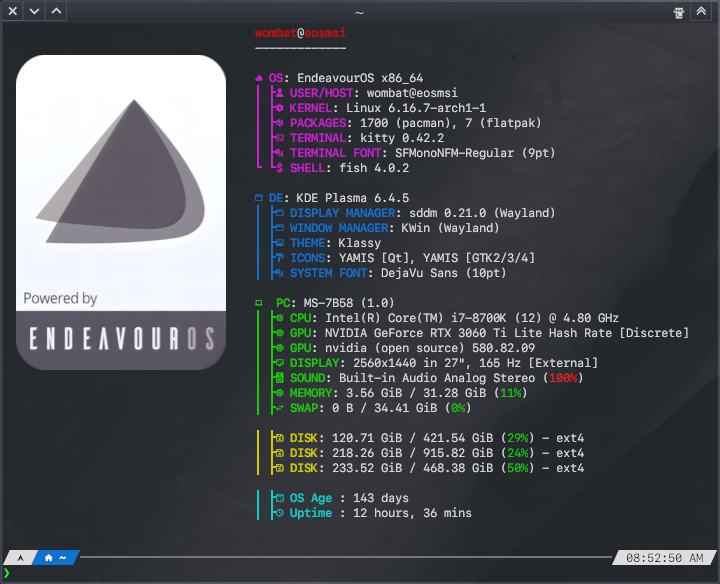
{ "$schema":
"https://github.com/fastfetch-cli/fastfetch/raw/dev/doc/json_schema.json",
"logo": {
"type": "auto",
"source": "/home/yourusername/.config/fastfetch/Logos/eos.png",
"padding": {
"top": 1,
"left": 2,
"right": 2
}
},
"display": {
"separator": " "
},
"modules": [
{
"key": "╭─────────────╮ ───────────────────── Software Info ──────────────────┐",
"type": "custom"
},
{
"key": "│ {#35} Distro {#keys}│",
"type": "os"
},
{
"key": "│ {#35} DE {#keys}│",
"type": "de"
},
{
"key": "│ {#35} WM {#keys}│",
"type": "wm"
},
{
"key": "│ {#35} LM {#keys}│",
"type": "lm"
},
{
"key": "│ {#35} Kernel {#keys}│",
"type": "kernel"
},
{
"key": "│ {#35} BootMgr {#keys}│",
"type": "bootmgr"
},
{
"key": "│ {#35} Terminal {#keys}│",
"type": "terminal"
},
{
"key": "│ {#35} TermFont {#keys}│",
"type": "terminalfont"
},
{
"key": "│ {#35} Shell {#keys}│",
"type": "shell"
},
{
"key": "│ {#35} Packages {#keys}│",
"type": "packages"
},
{
"type": "command",
"key": "│ {#35} OS Age {#keys}│",
"text": "birth_install=$(stat -c %W /); current=$(date +%s); time_progression=$((current - birth_install)); days_difference=$((time_progression / 86400)); echo $days_difference days"
},
{
"key": "│ {#35} Uptime {#keys}│",
"type": "uptime"
},
{
"key": "├─────────────┤ ───────────────────── Hardware Info ──────────────────┐",
"type": "custom"
},
{
"key": "│ {#34} Machine {#keys}│",
"type": "host",
},
{
"key": "│ {#34} Board {#keys}│",
"type": "board"
},
{
"key": "│ {#34} Bios {#keys}│",
"type": "bios"
},
{
"key": "│ {#34} CPU {#keys}│",
"type": "cpu",
"showPeCoreCount": true
},
{
"key": "│ {#34} GFX {#keys}│",
"type": "gpu",
},
{
"key": "│ {#34} Monitor {#keys}│",
"type": "monitor",
"format": "{name}"
},
{
"key": "│ {#34} Memory {#keys}│",
"type": "memory"
},
{
"key": "│ {#34} Swap {#keys}│",
"type": "swap"
},
{
"key": "├─────────────┤ ───────────────────── Disk Info ─────────────────────┐",
"type": "custom"
},
{
"key": "│ {#33} SSD {#keys}│",
"type": "disk",
},
{
"key": "├─────────────┤ ───────────────────── Other Info ────────────────────┐",
"type": "custom"
},
{
"key": "│ {#32} WiFi {#keys}│",
"type": "wifi",
},
{
"key": "│ {#32} Camera {#keys}│",
"type": "camera",
},
{
"key": "│ {#32} Sound {#keys}│",
"type": "sound",
},
{
"key": "│ {#32} Media {#keys}│",
"type": "media",
},
{
"key": "├─────────────┤ ───────────────────── Color Info ────────────────────┐",
"type": "custom"
},
{
"key": "│ {#31} Palette {#keys}│",
"type": "colors",
"symbol": "circle"
},
{
"key": "╰─────────────╯",
"type": "custom"
}
]
}