More issues as usual. I updated my system yesterday and have not been able to use steam. Some games have crashed and others such as TF2 give me this popup message. Can someone help?

1 Like
Hello @ES6723!
I just downloaded the game to test it and tried to start it. It starts normally for me with Proton-Experimental, Proton 9.0-4, and GE-Proton 10-15.
What does it say under compatibility in the settings? I’ll attach an example for you.
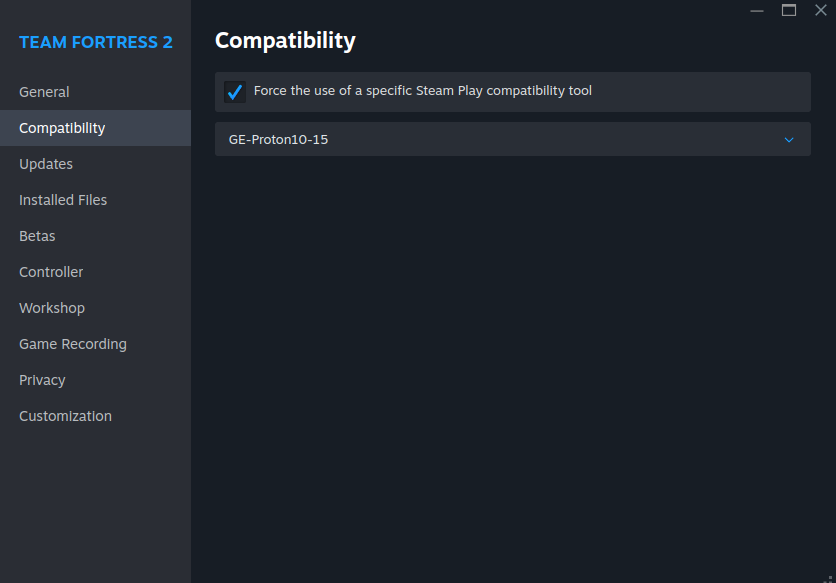
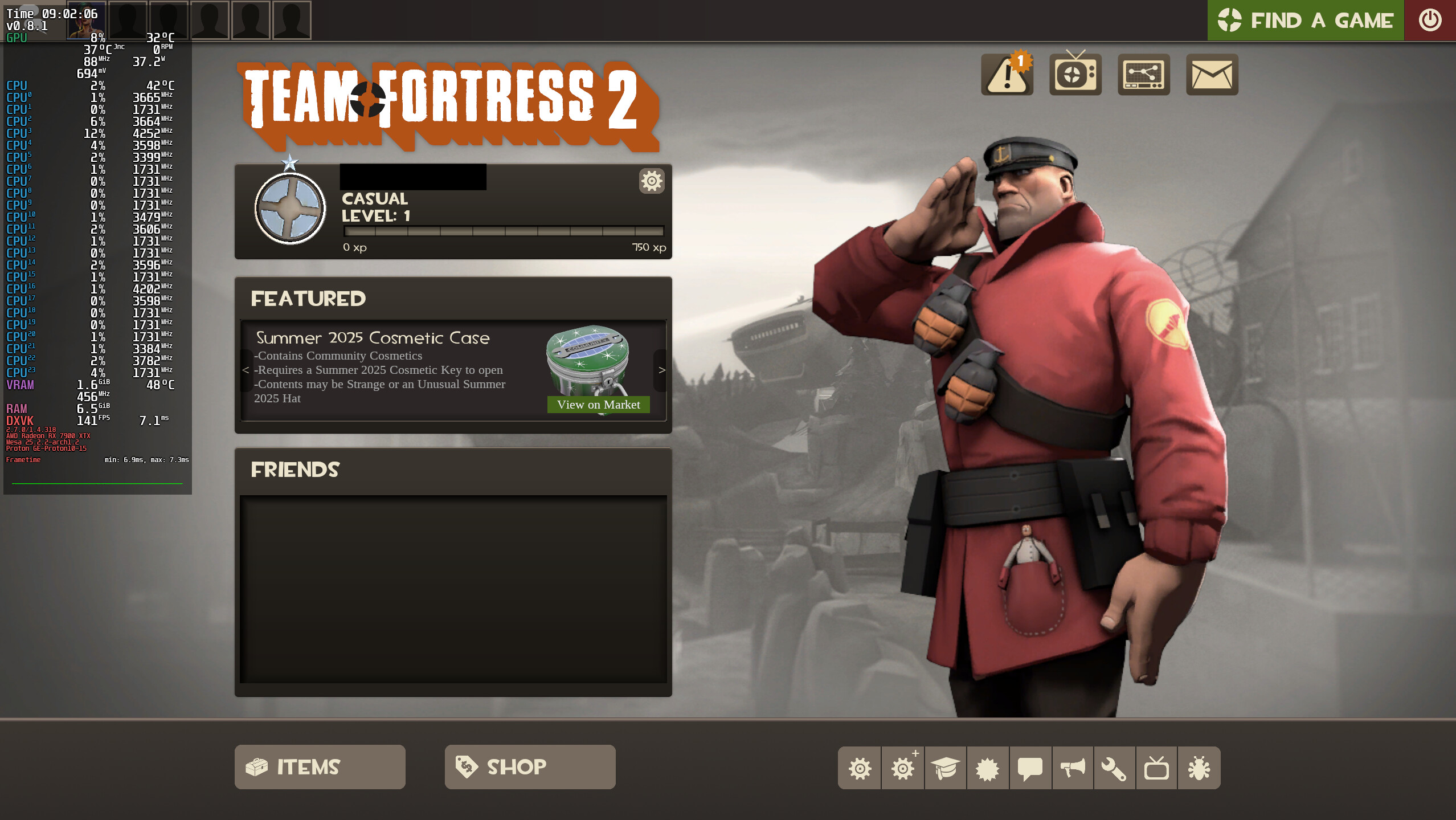
1 Like
Hello, I’m not using any compatibility tool for Tf2 specifically, should I enable it? For other non native linux games such as Subnautica, Houseflipper, etc I have been using Proton 9.0-4 but they keep crashing
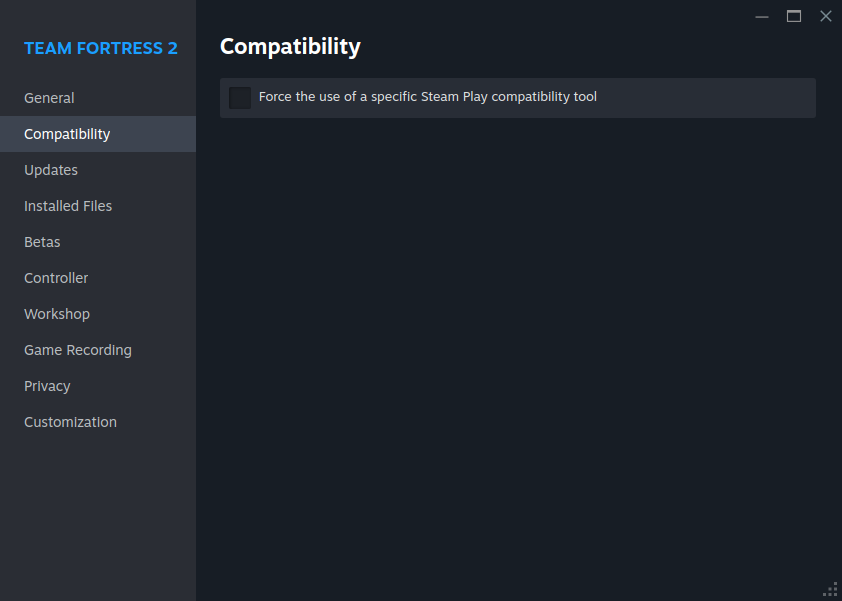
1 Like
Hello @ES6723!
You could try Proton Experimental with the compatibility option and see if the games run with it. If not, then unfortunately the problem lies elsewhere.
I suspect it could be related to a driver for your graphics card. Maybe a package is missing or something?
Yes it appears to be something else unfortunately. I have tried both Proton experimental and proton 9.0-4 for TF2, and it is able to launch the game but I’m not actually able to play it. Not only is it incredibly laggy, but when I tried to join a server it said something like “you are in insecure mode” and does not let me join. I’m not really sure what to do from here.
Hello @ES6723!
Sorry for the late reply. I just tested it myself. I also get the “you are in insecure mode” message when I check the compatibility box ( wasn’t able to start training mode), but not when I don’t (tested in training mode). As you already noticed, you can’t join servers in insecure mode.
Unfortunately, I didn’t know that when I gave you the tip about compatibility.
When you say “laggy,” are you referring to the ping (high ping/packet loss) or rather to the performance, i.e., high frame times/stuttering?
Here are a few more screenshots:
With Compatibility:

Without Compatibility:
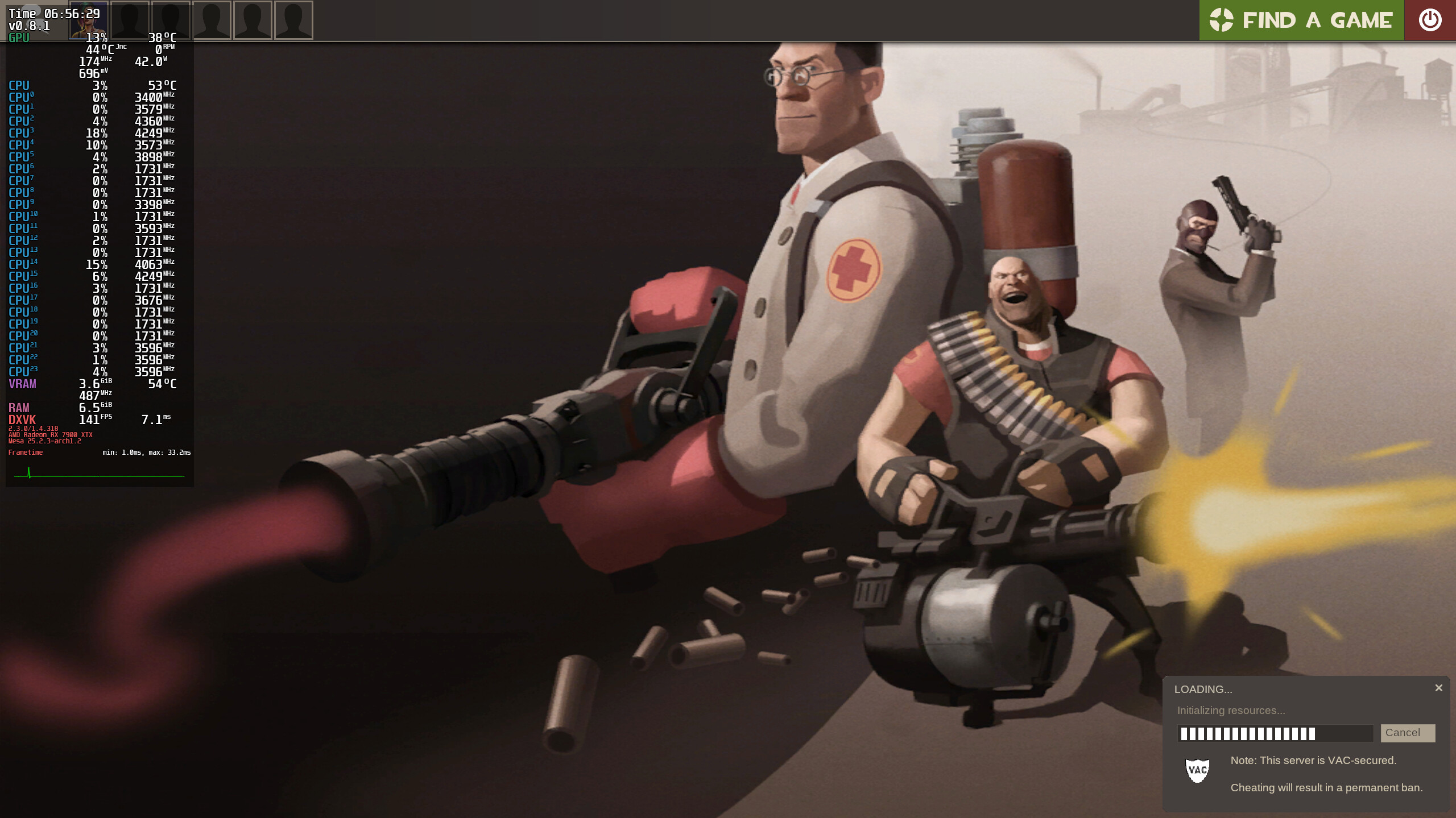

Hi again. Sorry for not being specific. When I say laggy I mean even just moving my mouse on the menu screen stutters a lot. No matter what I click whether it’s to view my loadouts or select game mode, I get low frame rates.
I have just been using my laptop which I have recently installed Linux mint on to play Tf2 and other games, and It is working great. I appreciate you sticking here to help out, but I really don’t know what to do now. I’m using the Flatpak version of steam specifically for the reason that the arch package gave me too many problems. But I’m still facing problems regardless. I still don’t know what “Failed to create SDL window” means.
Hello @ES6723!
If I understand correctly, a package from your driver (Nvidia GTX 1660?) is missing or damaged. At least, that’s my guess.
Can you enter nvidia-inst in the console and reinstall the drivers for your graphics card? This may resolve your issue. Please also ensure that you install not only the 64-bit versions but also the 32-bit versions of the additional packages, as Steam still uses these.
As far as I know, nvidia-utils and lib32-nvidia-utils are very important.
However, I must add that I have not yet had any experience with Nvidia, at least not under a Linux distribution, as I use an AMD graphics card. The same applies to Flatpaks.
Steam runs natively on my system without being a Flatpak.
I don’t know how up-to-date the guide here is as far as Nvidia is concerned, but it helped me a lot more than a year ago.
Okay I just checked and I have nvidia-utils installed but I could not find lib32-nvidia-utils.
I ran nvidia-inst and it updated a bunch of packages, how do I check which graphics driver I’m currently using?
Edit: Tf2 still gives me the same popup message after updating the drivers
Hello @ES6723!
Please try sudo pacman -S lib32-nvidia-utils. Restart the system afterwards just to make sure.
Have you checked the integrity of the installed game files TF2? (Under Properties…, Installed Files, “Verify integrity of game files”)
You can also try the native Version of Steam and download TF2 there just to test if it may work now.
Edit:
Some information (with inxi -Fxxc0z) about your system would also be nice. (I should have asked about that earlier, sorry.)
Here is the output:
System:
Kernel: 6.16.8-arch2-1 arch: x86_64 bits: 64 compiler: gcc v: 15.2.1
Desktop: KDE Plasma v: 6.4.5 tk: Qt v: N/A wm: kwin_wayland dm: SDDM
Distro: EndeavourOS base: Arch Linux
Machine:
Type: Desktop Mobo: Micro-Star model: B550M PRO-VDH WIFI [CEC] (MS-7C95)
v: 3.0 serial: UEFI: American Megatrends LLC. v: H.00
date: 08/10/2021
CPU:
Info: 6-core model: AMD Ryzen 5 3600 bits: 64 type: MT MCP arch: Zen 2
rev: 0 cache: L1: 384 KiB L2: 3 MiB L3: 32 MiB
Speed (MHz): avg: 1724 min/max: 558/4208 boost: enabled cores: 1: 1724
2: 1724 3: 1724 4: 1724 5: 1724 6: 1724 7: 1724 8: 1724 9: 1724 10: 1724
11: 1724 12: 1724 bogomips: 86396
Flags-basic: avx avx2 ht lm nx pae sse sse2 sse3 sse4_1 sse4_2 sse4a ssse3
Graphics:
Device-1: NVIDIA TU116 [GeForce GTX 1660 SUPER] vendor: Gigabyte
driver: nvidia v: 580.82.09 arch: Turing pcie: speed: 8 GT/s lanes: 16
ports: active: HDMI-A-1 empty: DP-1,DP-2,DP-3 bus-ID: 2b:00.0
chip-ID: 10de:21c4
Display: wayland server: X.org v: 1.21.1.18 with: Xwayland v: 24.1.8
compositor: kwin_wayland driver: X: loaded: nvidia unloaded: modesetting
alternate: fbdev,nouveau,nv,vesa gpu: nv_platform,nvidia,nvidia-nvswitch
display-ID: 0
Monitor-1: HDMI-A-1 model: AOC 27G2G8 res: 1920x1080 hz: 240 dpi: 82
diag: 686mm (27")
API: EGL v: 1.5 platforms: device: 0 drv: nvidia device: 2 drv: swrast
gbm: drv: nvidia surfaceless: drv: nvidia wayland: drv: nvidia x11:
drv: nvidia inactive: device-1
API: OpenGL v: 4.6.0 compat-v: 4.5 vendor: nvidia mesa v: 580.82.09
glx-v: 1.4 direct-render: yes renderer: NVIDIA GeForce GTX 1660
SUPER/PCIe/SSE2 display-ID: :1.0
API: Vulkan v: 1.4.321 surfaces: N/A device: 0 type: discrete-gpu
driver: nvidia device-ID: 10de:21c4
Info: Tools: api: clinfo, eglinfo, glxinfo, vulkaninfo
de: kscreen-console,kscreen-doctor gpu: nvidia-settings,nvidia-smi
wl: wayland-info x11: xdpyinfo, xprop, xrandr
Audio:
Device-1: NVIDIA TU116 High Definition Audio vendor: Gigabyte
driver: snd_hda_intel v: kernel pcie: speed: 8 GT/s lanes: 16
bus-ID: 2b:00.1 chip-ID: 10de:1aeb
Device-2: Advanced Micro Devices [AMD] Starship/Matisse HD Audio
vendor: Micro-Star MSI driver: snd_hda_intel v: kernel pcie: speed: 16 GT/s
lanes: 16 bus-ID: 2d:00.4 chip-ID: 1022:1487
API: ALSA v: k6.16.8-arch2-1 status: kernel-api
Server-1: PipeWire v: 1.4.8 status: active with: 1: pipewire-pulse
status: active 2: wireplumber status: active 3: pipewire-alsa type: plugin
4: pw-jack type: plugin
Network:
Device-1: Intel Wi-Fi 6 AX200 driver: iwlwifi v: kernel pcie: speed: 5 GT/s
lanes: 1 bus-ID: 29:00.0 chip-ID: 8086:2723
IF: wlan0 state: up mac:
Device-2: Realtek RTL8111/8168/8211/8411 PCI Express Gigabit Ethernet
vendor: Micro-Star MSI driver: r8169 v: kernel pcie: speed: 2.5 GT/s
lanes: 1 port: f000 bus-ID: 2a:00.0 chip-ID: 10ec:8168
IF: enp42s0 state: down mac:
Bluetooth:
Device-1: Intel AX200 Bluetooth driver: btusb v: 0.8 type: USB rev: 2.0
speed: 12 Mb/s lanes: 1 bus-ID: 1-9:6 chip-ID: 8087:0029
Report: btmgmt ID: hci0 rfk-id: 0 state: down bt-service: disabled
rfk-block: hardware: no software: no address: N/A
Drives:
Local Storage: total: 465.76 GiB used: 324.3 GiB (69.6%)
ID-1: /dev/sda vendor: Western Digital model: WDS500G2B0A-00SM50
size: 465.76 GiB speed: 6.0 Gb/s serial:
Partition:
ID-1: / size: 456.39 GiB used: 324.03 GiB (71.0%) fs: ext4 dev: /dev/sda2
Swap:
Alert: No swap data was found.
Sensors:
System Temperatures: cpu: 39.0 C mobo: N/A
Fan Speeds (rpm): N/A
Info:
Memory: total: 16 GiB available: 15.54 GiB used: 2.29 GiB (14.8%)
Processes: 341 Power: uptime: 1m wakeups: 0 Init: systemd v: 258
default: graphical
Packages: 1234 pm: pacman pkgs: 1183 pm: flatpak pkgs: 51 Compilers:
gcc: 15.2.1 Shell: Bash v: 5.3.3 running-in: konsole inxi: 3.3.39
I have been using the flatpak version of steam because a previous update I did a while back caused the native steam package to not open at all. I still have it installed, but it still wont let me open it.
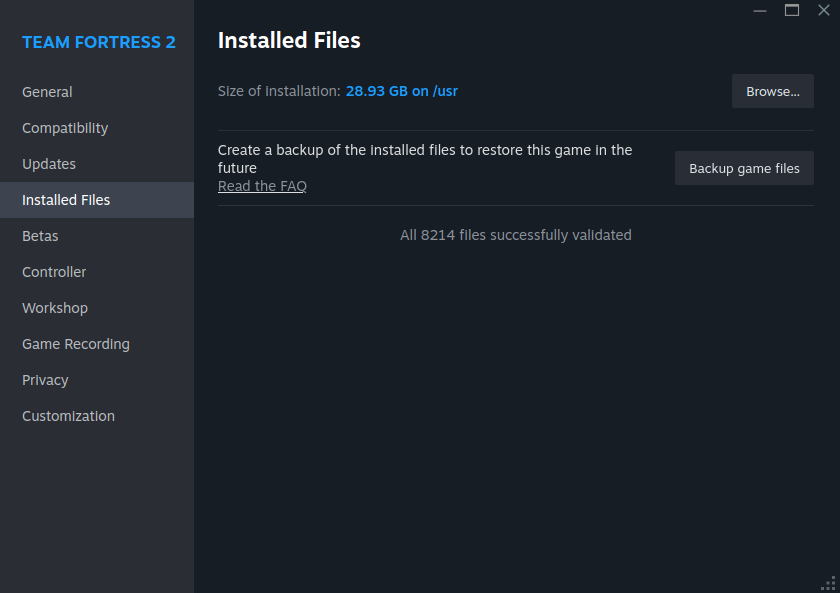
Verifying the integrity of game files shows everything is valid.
Hello @ES6723!
I noticed something: the motherboard BIOS is the first BIOS that was available for the board and should be updated to the latest version, as there have been several security patches since then.
https://www.msi.com/Motherboard/B550M-PRO-VDH-WIFI-CEC/support
Unfortunately, I can’t say whether what is displayed on the graphics card is okay. At least it is recognized and the connection (PCI-E) looks okay.
Edit:
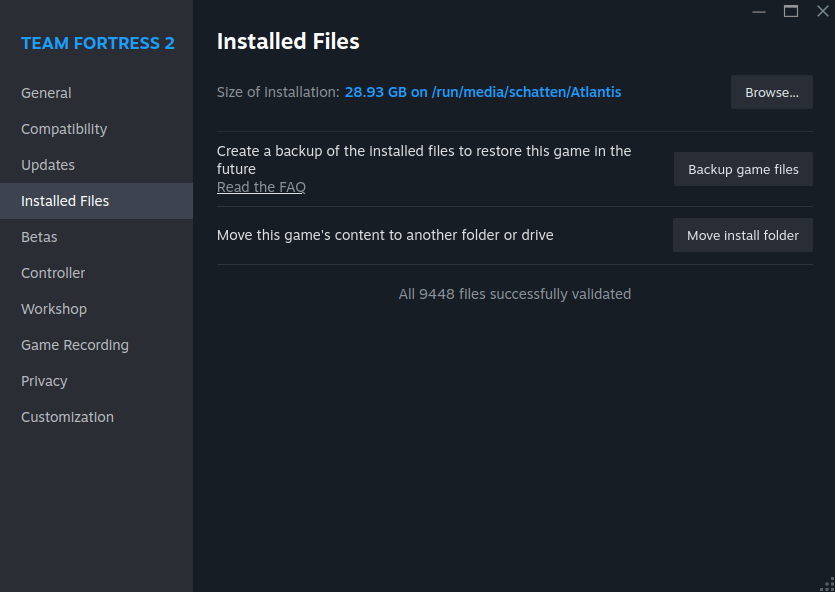
Here is my output when I validate the TF2 files. At least the size is the same, but there is a discrepancy in the number of files.
If it doesn’t take too long, could you reinstall TF2?
Edit 2:
Were you able to install lib32-nvidia-utils? Is the error message still there in TF2?
Edit 3:
I found something else here, but I’m not sure how helpful it will be in getting you on the right track to solving your problem.
https://www.reddit.com/r/beyondallreason/comments/1czl1sn/could_not_create_sdlwindow_on_linux/
Maybe flatpak update is all you need?
Great news, It finally works! After installing lib32-nvidia-utils I still recieved the error message, but flatpak update and reinstalling Tf2 fixed it. All that’s left to do is update my BIOS. Thank you so much for your help 
1 Like
Hello @ES6723!
That’s really great news.  Thanks for letting me know. Have a good start to the weekend and also a nice weekend.
Edit:
I forgot to say “you’re welcome.” I’m glad I could help you.