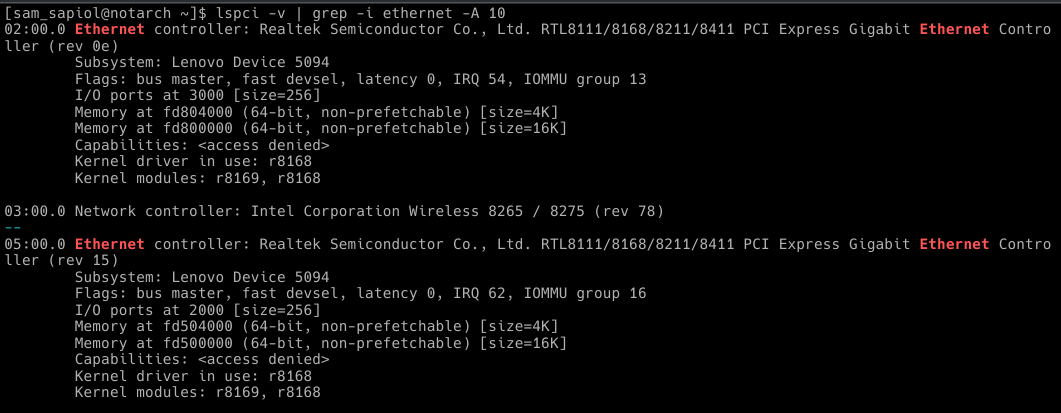
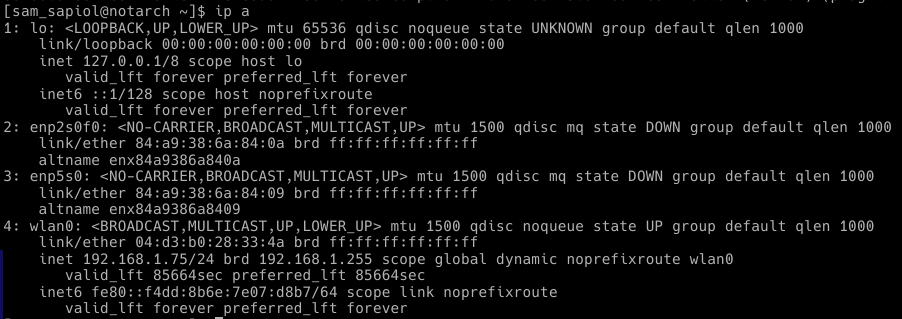
Hello everyone. I recently started using Endeavour OS and Linux in general. I’m encountered problem with RTL8111/8168/8211/8411 PCI Express Gigabit Ethernet Controller. I’ve never used the Ethernet port with Endeavour OS installed, but when I bought this laptop with preinstalled Windows, the port worked 100%. Recently, I needed the Ethernet port, but it doesn’t even show any indicators when I connected the patch cord. Looking trough different solutions to the problem, I saw that many people had problems related to the driver r8169, and I decided to install the previous version of the driver(r8168) and block the old one. So, In this topic, they recommended installing r8168-lts version via sudo pacman -S r8168-lts, which I did, but when I tried to modprobe r8168 it into the kernel, I got these errors. What should I do?

Some other useful(i hope) information

blacklist.conf didn’t exist before I created it, btw
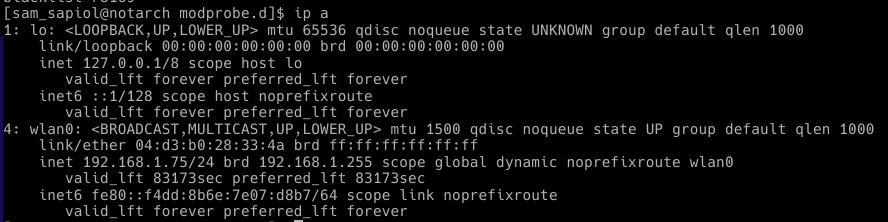
ethernet interfaces existed before, i swear
So, guys, what should i do?
I’m sorry for my bad english