That’s what I’m saying. I’m just pointing out to the OP that this is UEFI why is it installed on MBR yet the other disc is GPT. So I’m just recommending that if and when they would reinstall it might be worth considering installing on GPT in UEFI mode. I know it makes no difference how it works and it’s not the reason for freezing. It’s more of just informing them as they may not be aware. 
Yeah thanks i wanst aware of it. Idk even why its installed kon MBR and the legacy thing… But ill change that now and reinstall so i wont have to worry about it later!
I’m not suggesting you have to do this as @dalto said it doesn’t really matter that much. I’m only suggesting if and when you do then make sure it’s set to UEFI and secure boot is off because you want to be using GPT or GUID partition rather than MBR on a current UEFI system unless there is a reason to install on MBR. UEFI is the current standard and your board has the latest UEFI firmware.
Okay so ill just set the Storage boot control to UEFI only?
I don’t think you can do that as it won’t work.
Most new UEFI boards have CSM which is a compatibility mode setting to enable you boot legacy.
Then what is set to UEFI? And should i boot into live env, open gparted and delete the partition, create a new partition table GPT, install endeavouros on it?
You need to make sure you boot the ISO in UEFI mode. When you select the device to boot off, there should be a choice that lists UEFI or EFI next to it.
If you are going to reinstall as i said you also need to make sure it’s set to UEFI and secure boot is disabled in the BIos and saved.
Edit: Then you can boot on the live ISO and install it.
Edit2: It’s not going to boot the live ISO in UEFI mode if you don’t have the settings changed in the UEFI Bios screen and saved.
Okay. So set all to UEFI, boot into live env, gparted → delete partitions, create a new partition table GPT, install ende on it. RIght?
Did you check that secure boot is disabled also?
Yeah im 99% sure it is. Ill disable it again just to be sure. But its always so scarry doing anything in bios  .
.
Please follow the steps below:
Boot and press [F2] to enter BIOS.
Go to [Security] tab > [Default Secure boot on] and set as [Disabled].
Go to [Save & Exit] tab > [Save Changes] and select [Yes].
Go to [Security] tab and enter [Delete All Secure Boot Variables] and select [Yes] to proceed.
Then, select [OK] to restart.
Deleting all secure boot variables is safe right?
Yes…i always do.
Edit: I remove the secure keys first and then i disable secure boot.
And a newb question. Why why is it required (or recommended) to disable safe boot? Doesnt it make it… unsafe boot?
In case you missed it. I remove the secure keys first and then i disable secure boot. Secure boot is a Windows thing and it requires a signed key. It isn’t used on most linux distro’s except for a few that support it as they have the resources.
Yeah so i will remove secure boot keys, and then when they are deleted, disable safe boot. Do i need to restart in between?
No because you are saving the settings you change in the UEFI Bios and then your rebooting into the live ISO.
When you boot up on the Live ISO and run the installer you will see on the top left and or right corners when in the proper screen that it will show UEFI.
Okay. I will see if i have time to do it tonight. But thank you a ton for the help!!!
Here it shows UEFI on the installer screen because it say’s EFI.
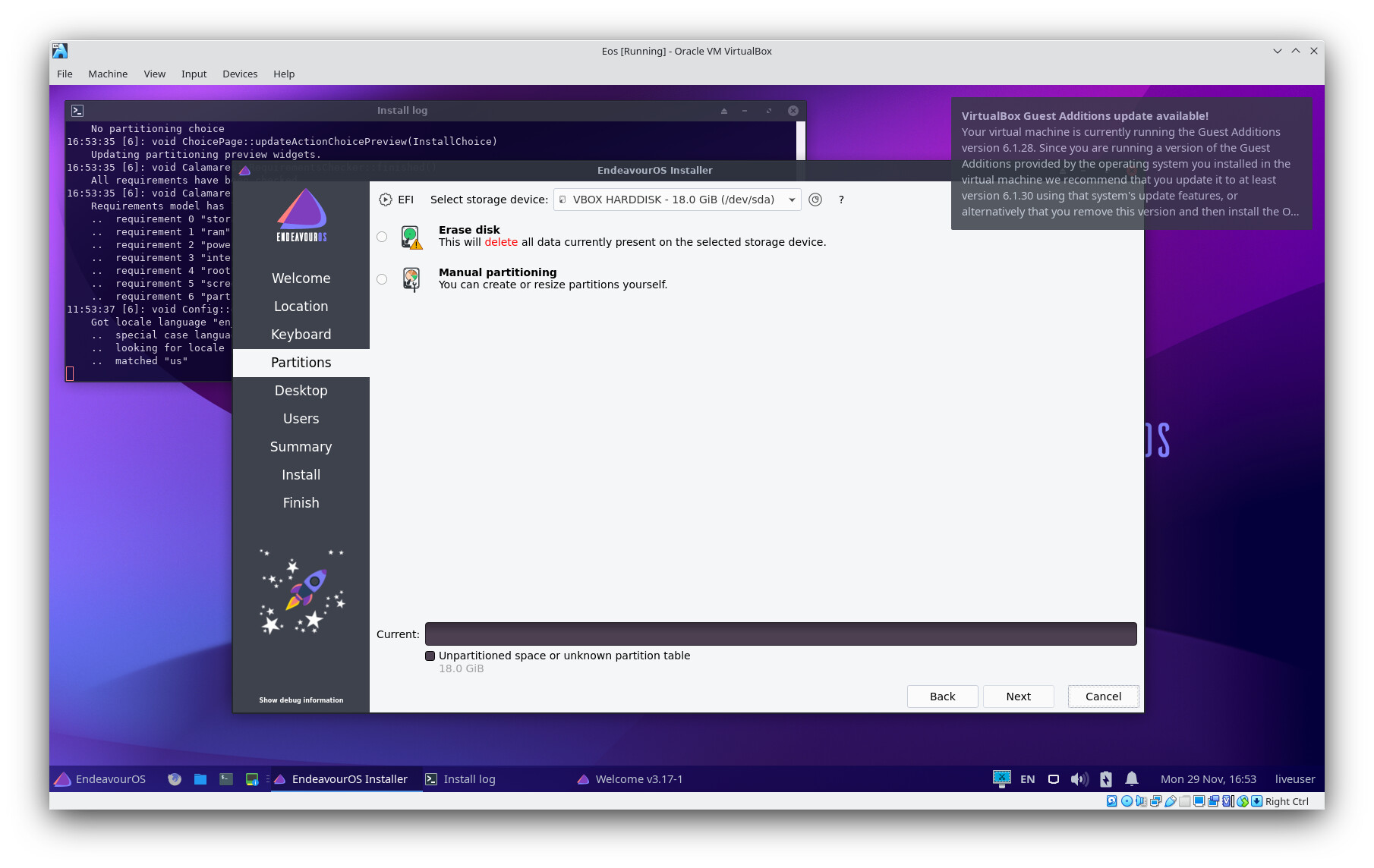
This is just a virtual box image of the installer Window showing EFI top left.