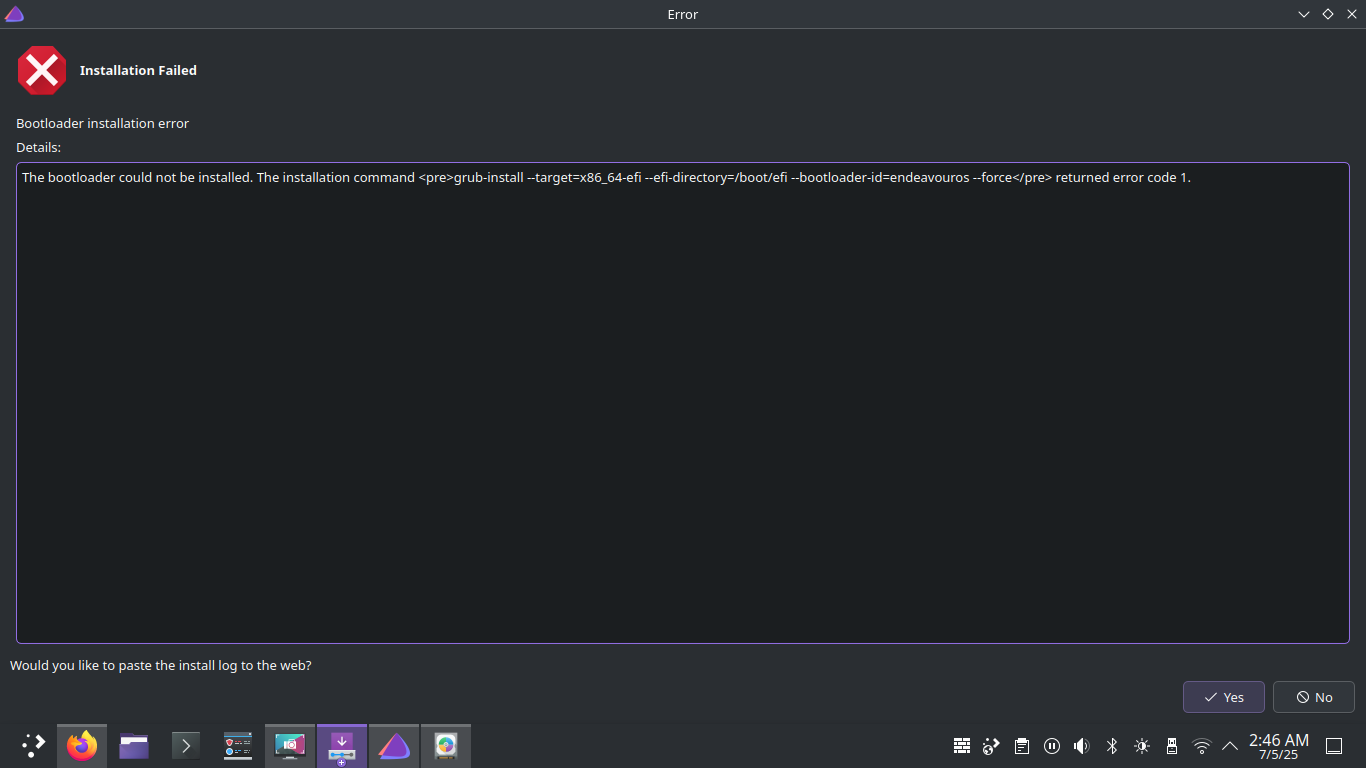
Trying to dual boot windows and Endevour, installation went smoothly i chose grub bootloader and KDE plasma DE, after rebooting it doesnt even show me the grub menu like if i want to choose windows or Endevour it just boots o windows directly, in BIOS windows is installed in legacy bios but Endevour in UEFI, when i use Boot menu to manually select endevour its just a black screen, absolutely nothing, ran the installer like 3 times and still nothing.
I think this is your issue I think you will need to choose one or the other.
EFI/BIOS: In case, modern EFI systems can provide the option to support legacy boot so called CSM mode (Compatibility Support Module) Best is to disable this feature if possible, as the installer is not always detecting this correctly. In case you are dual booting with Windows installed in legacy mode, the options are indeed limited to go reinstall Windows in EFI mode or try to add EndeavourOS in CSM legacy mode.
Usually, your BIOS would give you the option to boot it either way.
If not, can you disable UEFI in your BIOS?
I am not sure I understand what this means. The ISO supports both UEFI and legacy, if you write it to a USB, you shouldn’t need to add or remove any files.
Usually, your BIOS would give you the option to boot it either way.
If not, can you disable UEFI in your BIOS?
Nope in Boot menu the drive is under UEFI and doesnt show in legacy and nope i cant disable UEFI
I am not sure I understand what this means. The ISO supports both UEFI and legacy, if you write it to a USB, you shouldn’t need to add or remove any files.
I meant in the Boot sequence menu in the bios, i cant add the iso to legacy, it says no files detected
try on boot once menu F8 F12 or similar it may show two options for the USB installer drive one named EFI UEFI USB the other not choose the one not saying efi/uefi
It recognised and tried to boot up into endevourOS that was on my ssd , but it said invalid partition and couldn’t boot any further , i think this is mostly a problem on my end while in the download menu/me being dumb and choosing the wrong partition , I’ll troubleshoot/fix it and update you , this will probably work
Surprsingly still troubleshooting this issue but , good news!!! , the ssd now tries to boot up endevourOS on start up by default , on previous attempts it defaulted back to windows after a failed endevourOS boot , we are close!!!
If you are on the liveiso session you can check boot mode in terminal too efibootmgr will show not supported .. and inside installer it will also show only grub as bootloader.
I’ve clicked and done every possible setting in the partitions menu (that won’t brick my laptop , just in the install alongside and “replace partition” settings without replacing my windows partition) in the download setup , I don’t remember exactly what I did but when I try to boot from my ssd it now says “invalid partition!” , keep in mind this is a fairly old laptop (2012 dell latitude) , I can’t get into endeavourOS or even normal windows from the ssd if you have any suggestions for me to try feel free to send , I have a shrunk 146 gb partition that is unallocated (marked as “free space” in the partition menu of endevourOS) that I made in windows before attempting setup
Currently trying to switch the boot orders in the BIOS menu (again) since this is the only logical solution I could find , if anyone has any other solutions feel free to send them (and no I still can’t add a boot option in legacy mode , i can just change the orders) , will update y’all if I find a solution